
10 Best Webcams of 2026
 Daniel Kenitz
Please note that we participate in affiliate marketing programs. When you purchase through links on our site, we may earn a commission. As an Amazon Associate we earn from qualifying purchases. This comes at no additional cost to you and helps support the resources required to provide valuable content.Advertising Disclosure
Top-rated Webcam Comparison
1

2
3
4
5
6

7
8
9
10
Overview
A webcam turns a computer into a video-and-audio endpoint for calls, classes, streaming, demonstrations, and recording. Whether it works well depends on more than the largest number in its title. The useful questions are whether it delivers the stated resolution and frame rate in the software and lighting you use, keeps focus and exposure stable, frames the right amount of the room, produces intelligible speech, mounts securely, and remains usable across your operating system and calling applications.
Resolution is only one part of the picture. A claim such as 4K should state the usable frame rate often 30 frames per second in the supplied products and the connection, software, and computer conditions required. A 1080p camera may be more useful at 60 frames per second for motion than a 4K camera limited to 30. Field of view also changes the result: a narrow view suits one desk user, while a wider 90- or 100-degree claim can include more people or workspace but may show more of the room. Autofocus, fixed focus, low-light correction, HDR, tracking, and noise cancellation should be tied to documented operating modes rather than undefined feature names.
Look for exact-model documentation: a manual, datasheet, compatibility matrix, firmware history, warranty terms, and clear model identification. For stronger performance evidence, an independent test should disclose the setup, firmware, resolution, frame rate, lighting, and audio method. The strictest evidence is a report from an ISO/IEC 17025-accredited laboratory using relevant methods such as ISO 12233 for resolution and ISO 15739 for camera noise. Marketplace reviews and hands-on articles can reveal practical strengths and failures, but they are not repeatable laboratory validation.
Privacy is equally important. A durable physical shutter or lens cover is stronger than software permissions alone, but it usually blocks video without muting the microphone. A clear active-use LED helps, though it should not be treated as a substitute for a physical lens block or audio control. Cameras that point downward in sleep mode offer a visible cue but are not equivalent to a separate shutter. Check whether the product requires companion software, an account, cloud features, voice control, or ongoing firmware support, and review its privacy and security documentation.
For safety and traceability, look for the responsible manufacturer, exact model, support route, and U.S. compliance documentation. A verifiable UL, ETL, or CSA listing, an OSHA-recognized NRTL record, and where applicable a supplier declaration in the FCC Equipment Authorization system are stronger than logo-only claims. USB power avoids a supplied mains adapter in many products, but it does not establish electrical safety certification. For environmental claims, prefer product-specific materials and packaging declarations, repair or replacement-part information, and a U.S. take-back or recycling route. EPEAT or TCO registration matters only when the exact product is registered.
Recurring caveats in the supplied reviews deserve attention. Many products lack verified NRTL safety listings, exact U.S. compliance declarations, accredited performance tests, documented security-support periods, repair programs, and product-specific recycling evidence. Built-in microphones are repeatedly adequate for ordinary calls but weaker in noise, echo, keyboard sounds, or polished recordings. Low-light image quality, autofocus, HDR, and tracking can be less reliable than headline claims suggest. Several products have no physical microphone disconnect, and one tracking camera was reported to continue providing video while its indicator was inactive after a firmware problem. Mounts can also fall or fit poorly on thick displays, while some products run warm during extended processing. These are important reasons to test the camera before relying on it for confidential, professional, or safety-critical use.
Integrity
## Health and Ecology The supplied products show that a webcam's practical safety and sustainability profile depends on controls and documentation as much as on image quality. A high score reflects stronger evidence and fewer unresolved concerns within the reviewed set; it does not mean every risk or limitation has been eliminated.
HHealth & Safety
Electrical and physical safety
This covers the camera, cable, connector, mount, and any supplied power accessory, including shock, overheating, burn, breakage, and falling-device concerns. USB power can avoid a separate mains adapter, but it is not safety certification. Higher-scoring products had fewer unresolved concerns; lower-scoring ones lacked public UL, ETL, CSA, NRTL, or exact electrical-test evidence, or raised heat and mounting cautions.
Camera and microphone privacy control
This measures whether users can reliably stop video or audio capture and tell when capture is active. A physical lens shutter or cover, a clear activity light, and documented controls matter because software permissions can be changed or bypassed. The supplied scores range from 48 for a gimbal-position privacy control with a reported indicator failure to 91 for an integrated shutter; most covers still do not mute microphones.
Secure software and data practices
This concerns companion applications, firmware, AI tracking, voice features, cloud services, account requirements, permissions, updates, and data handling. Higher scores were associated with direct UVC or plug-and-play operation, published privacy information, firmware tools, or support processes. Lower scores reflected missing security-support periods, unclear update practices, or greater reliance on software features for privacy and camera control.
EEcology
Lower-waste design and end-of-life support
This measures durability, detachable or supportable parts, material and packaging evidence, repair options, and a practical U.S. reuse or electronics-recycling route. The strongest supplied example scored 88 because it combined documented lower-impact materials, a product footprint, and recycling routes. Products scoring in the high 60s generally lacked material declarations, repair programs, take-back support, or product-specific recycling evidence.
EEvidence
Honest, usable specifications
This asks whether resolution, frame rate, focus, field of view, low-light behavior, HDR, tracking, audio processing, and compatibility claims include their conditions and limits. Higher-scoring products documented concrete modes such as 4K at 30 fps or 1080p at 60 fps. Lower-scoring products had conflicting focus or field-of-view specifications, incomplete mode tables, or marketing claims not supported by a manual.
Independently verified performance
This measures whether competent third-party testing confirms the exact product using disclosed, repeatable methods. The supplied evidence is mostly hands-on review rather than ISO/IEC 17025 laboratory reporting, so even the better scores indicate useful practical support rather than accredited measurement. Higher scores came from exact-product reviews that observed tracking, video, mounting, or audio; lower scores reflected no exact-product independent test.
Clear video in real conditions
This covers delivered sharpness, motion, exposure, color, autofocus, framing, and low-light results at usable settings—not just pixel count. Higher-scoring products had independent reports of clear 4K or stable 1080p video, accurate color, or dependable tracking. Lower-scoring products showed grain, washed-out or overexposed highlights, motion blur, inconsistent focus, or unresolved claims about frame rate and lighting conditions.
Useful microphone performance
This measures speech intelligibility at realistic desk distances, background-noise handling, distortion, and the limits of noise cancellation or beamforming. Higher scores came from independent findings of clear speech or useful steady-noise reduction. Lower scores reflected thin, hollow, echoey, harsh, or keyboard-sensitive audio, or claims that lacked disclosed distance, room-noise, processing, and recording conditions.
U.S. compliance and traceability
This concerns an identifiable manufacturer and model, responsible-party information, support route, and credible U.S. electromagnetic-compatibility and safety documentation. Higher scores in the set reflected clearer model and manufacturer records, but no supplied product had complete evidence across every requested source. Lower scores commonly reflected missing FCC supplier declarations, NRTL listings, exact compliance files, or traceable U.S. documentation.
Reliable use and long-term support
This measures operating-system and application compatibility, USB behavior, mount security, connection stability, firmware support, warranty, replacement parts, and remedies for recurring failures. Higher-scoring products combined documented compatibility with secure mounting, firmware tools, repair pricing, or clear warranty support. Lower scores reflected reports of crashes, failed updates, disconnects, falling mounts, unclear warranty terms, or unsupported operating systems.
Full reviews

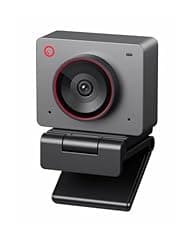
OBSBOT Tiny 2 4K AI Webcam
Overview
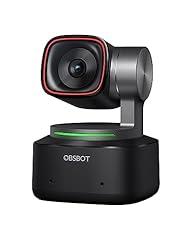
OBSBOT Tiny 2 is a compact, USB-C desktop webcam with a two-axis pan and tilt gimbal, dual microphones, a monitor mount, a storage case, and a standard tripod socket. It connects directly to a computer and is intended for video calls, streaming, presentations, and desk views. The manufacturer documents Windows 10 or later and macOS 11 or later support, and recommends a USB 3.0 connection for normal operation. Its defining feature is motorized subject tracking and reframing. The manufacturer also documents gesture, voice, manual focus, HDR, and up to 4x digital zoom controls. Independent hands-on testing supports strong delivered video at 4K and 30 fps, with crisp detail, stable color, and good low-light results. The camera can enter sleep by facing its lens downward, but it does not provide a separate physical lens shutter.
What works
- Independent reviewers found crisp, detailed 4K at 30 fps video, reliable exposure, and strong color across varied lighting.
- The two-axis gimbal and AI tracking were independently observed to follow and reframe a moving person smoothly.
- The manual documents direct USB operation, USB 3.0 requirements, monitor mounting, and a standard tripod thread.
- Sleep mode physically directs the lens downward and turns the status light off, giving a more tangible privacy position than a software-only setting.
- Manufacturer software and firmware support remain available, with documented controls for focus, tracking, presets, HDR, and framing.
What does not
- There is no separate physical shutter, so privacy depends on positioning the powered gimbal downward rather than closing an independent barrier.
- Independent reviewers consistently found the built-in microphones intelligible but harsh at times, while noise reduction left background sounds audible or clipped speech.
- The manual notes that the base can become warm during extended use. No public exact-model UL, ETL, CSA, or equivalent NRTL listing was identified in this review.
- The manufacturer’s 4K claim needs context. Independent testing indicates 4K tops out at 30 fps, while 60 fps applies at 1080p.
- No U.S. product take-back, repair-parts program, material declaration, or exact-model electronics-recycling program was identified.
Who is it for
This product suits a desk-based presenter, instructor, streamer, or remote worker who moves while speaking and needs the camera to keep them framed without manually adjusting a webcam. It is especially relevant for users who can connect directly to a USB 3.0 computer, want monitor or tripod mounting, and value detailed 4K video for calls or recordings. It also fits users comfortable managing camera settings through companion software and who can use a separate microphone if consistent voice processing is important.
Who is it not for
It is not well suited to people who require a dedicated, independently closable lens shutter for confidential rooms, shared workspaces, bedrooms, or sensitive consultations. It is also a weaker fit for users who need dependable noise suppression for calls in busy homes, classrooms, or offices, because independent tests found audible background noise and occasional voice processing problems. Buyers needing publicly verifiable electrical safety certification, a documented U.S. take-back route, or assured long-term repair parts should require that evidence before relying on this product.
Integrity
The product is a wired USB webcam and the included package does not contain a mains power adapter. Its manual says the underside may become warm during long operation and directs users to use the supplied data cable, a USB 3.0 port, and adequate computer or dock power. Research did not identify a CPSC recall for this product. However, no public exact-model NRTL safety listing or public exact-model FCC conformity document was identified during this review. For privacy, the lens can be tilted down into sleep mode and the indicator turns off. This is a useful visible position, but it is not the same as a separate shutter. A hard storage case is included, which may help protect the gimbal in transport. Independent reporting describes the housing as magnesium alloy. No substantiated U.S. take-back program, repair-parts policy, recycled-material claim, or product-specific end-of-life plan was found, so responsible disposal depends on local electronics-recycling options.

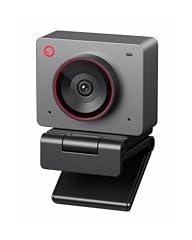
OBSBOT Tiny 2 Lite 4K Webcam
Overview
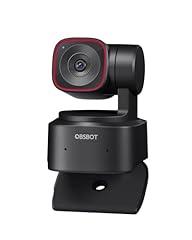
This is a compact, wired USB-C pan and tilt webcam with a built-in monitor clip, tripod thread, dual microphones, status light, and a two-axis motorized gimbal. It connects directly to a Windows or Mac computer and can be used with Zoom, Microsoft Teams, Skype, and Google Meet. The manufacturer documents 4K at 30 frames per second, 1080p at 60 frames per second, 4x digital zoom, autofocus, HDR controls, gesture controls, and software-based tracking. Independent hands-on testing supports strong sharpness, responsive autofocus, and effective subject tracking in ordinary natural and artificial light. Reviewers also found limitations that matter in practice, including occasional tracking misses, less predictable gestures, and exposure that can look slightly bright or washed out before adjustment. Built-in audio is usable for informal calls, but independent reviewers describe it as muffled or merely serviceable rather than a replacement for a dedicated microphone.
What works
- Independent reviews found sharp, natural-looking video in both natural and artificial room lighting.
- Independent testing found autofocus quick and accurate when moving objects close to the lens.
- The manufacturer documents direct computer connection and compatibility with major calling platforms, without requiring a cloud connection for basic webcam use.
- The manual documents a monitor stand, desktop placement option, and standard tripod thread for flexible positioning.
What does not
- There is no physical lens shutter. Sleep mode turns the status light off, so it is not a clear, continuously visible capture-state indicator.
- Independent reviewers found gesture control less dependable than using the companion software, with occasional unintended framing changes.
- Built-in microphones are adequate for casual calls, but independent reviews found the sound muffled or below dedicated-microphone quality.
- No public exact-product UL, ETL, CSA, or equivalent safety listing, FCC supplier declaration, repair program, take-back program, or material declaration was located during verification.
Who is it for
It suits a desk-based remote worker, teacher, presenter, or streamer who needs the camera to keep one moving speaker framed during calls or demonstrations. It is especially relevant for someone who can provide reasonable room lighting, uses Windows 10 or later or macOS 11 or later, and values quick autofocus for showing documents or small objects. Basic video use works by USB connection, while the companion software adds framing, gimbal, image, and gesture settings.
Who is it not for
It is not suited to people who need a true hardware privacy barrier in bedrooms, clinical spaces, shared offices, or any setting where a camera must be physically blocked between uses. It also does not fit users who need polished voice recording for professional broadcasts, since independent reviews characterize the microphones as casual-use quality. Buyers who need documented U.S. safety certification, a public compliance declaration, a repair path, or a manufacturer recycling program should require that evidence before deployment.
Integrity
The safety picture is limited but not alarmist. This is a USB-powered webcam with no supplied mains adapter. Its manual says the base may become warm during extended operation and instructs users to connect it directly to a computer or to a separately powered dock. No relevant U.S. recall was located in the checked CPSC sources. However, no publicly verifiable exact-product UL, ETL, or CSA listing was located. The camera has an indicator light and can enter sleep mode, but it lacks a physical shutter. The companion software is optional for ordinary webcam operation, though it is needed for advanced controls and firmware updates. OBSBOT's privacy policy says its product and software ecosystem may collect device details and, when relevant functions are used, audio, image, and video information. The policy offers privacy-rights requests, but no fixed security-support period was found. No product-specific recycled-content claim, packaging specification, U.S. take-back program, repair documentation, or materials declaration was located.

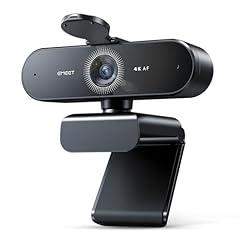
EMEET S600 4K Streaming Webcam
Overview
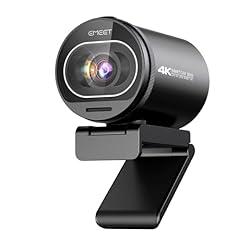
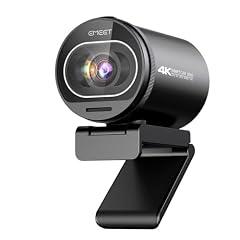
This is a compact USB webcam for a computer monitor, laptop, or tripod. It has a clip stand, a 1/4-inch tripod thread, a detachable 1.5 m USB cable, dual microphones, and a physical rotary lens cover. EMEET specifies 4K video at 30 fps, 1080p at 60 fps, automatic exposure and white balance, and a 40 to 73 degree field of view. The manual documents a front active-use LED and the rotating privacy cover. An independent hands-on review confirmed basic plug-and-play use and the 4K 30 fps ceiling, but found visible image noise, slow focus searching, motion blur at 1080p 60 fps before a firmware update, and difficult automatic exposure in mixed lighting. The product supports firmware updates and image adjustments through optional EMEETLINK software.
What works
- A mechanical rotary cover can physically block the camera lens when closed, according to the manual and manufacturer support documentation.
- The front LED is documented to light when the camera begins operating, giving a basic visible capture-status cue.
- The stated video modes are specific, 4K at 30 fps and 1080p at 60 fps, rather than implying 4K at 60 fps.
- A detachable USB cable, monitor clip, and standard tripod thread provide practical mounting and cable-replacement flexibility.
- EMEET documents firmware updates through optional EMEETLINK software, and provides U.S. phone and email support contact details.
What does not
- Independent testing did not substantiate the promotional picture-quality language. One detailed review found appreciable noise, focus breathing, and challenging automatic exposure.
- The autofocus cannot be disabled according to EMEET's own FAQ, which limits control for close demonstrations or scenes where focus hunting is distracting.
- The dual microphone and noise-cancellation claim lacks a controlled exact-product audio test. Independent listening commentary characterized the microphone quality as weak for content creation.
- The optional companion software collects device, log, and crash-report information under its privacy policy. EMEET does not publish a clear product-specific security support period.
- The official user guide states a one-year limited warranty, while the product page promotes warranty coverage of up to two years. Buyers need written confirmation of the coverage that applies to their purchase.
Who is it for
This product suits a desktop caller, student, or occasional streamer who needs a compact USB camera with a physical lens block and a conventional monitor or tripod mount. It is most appropriate for a single person framed at a desk, using normal indoor lighting and accepting automatic exposure and focus. It also fits users who want stated 4K 30 fps or 1080p 60 fps modes without requiring a separate driver for routine video-call software. Firmware and image controls are available for Windows and macOS through the optional companion software.
Who is it not for
It is not well suited to people recording full-screen professional video, product demonstrations near the lens, or moving subjects where persistent autofocus searching could be disruptive. It is also a poor fit for creators who need dependable manual focus and exposure control, tested low-light quality, or a built-in microphone suitable for polished narration. Privacy-sensitive workplaces that prohibit telemetry-capable companion software should use the webcam without that software or select hardware with a clearer software security support commitment. Children under three should not handle it because the manual identifies small parts.
Integrity
The product uses low-voltage USB power, specified by EMEET as 5 V and 500 mA with 2.5 W average consumption. Its user guide gives heat, moisture, cable-damage, drop, and small-parts warnings. The guide also states FCC Part 15 compliance and includes a restricted-substances table showing the listed substances within the stated RoHS thresholds. Those are manufacturer declarations, not a verified U.S. safety certification. A physical lens cover and front activity light are meaningful privacy controls because they provide visible, hardware-level video control. They do not mute the microphones. No product-specific UL, ETL, or CSA safety listing, U.S. electronics take-back program, repair-parts program, or detailed packaging and recycled-material disclosure was located in the reviewed materials. The detachable cable can reduce waste if a cable fails, but no broader repairability evidence was found.

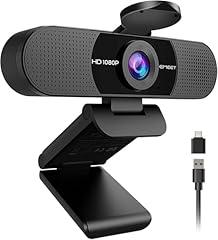
EMEET C60E 4K Streaming Webcam
Overview
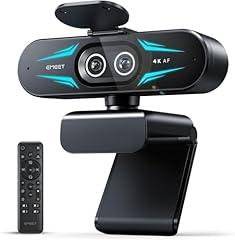
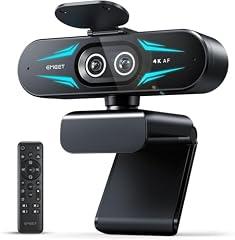
This compact USB webcam combines a wide-angle camera and a telephoto camera, a 1/2.8-inch CMOS sensor, two microphones, a 2-meter captive USB-C cable, a monitor clip, a 1/4-inch tripod thread, and a battery-powered remote. It is intended for desktop streaming, product demonstrations, and video meetings where the user may want either a room view or a tighter view without changing cameras. EMEET documents 4K at 30 fps, 1080p at up to 60 fps, PDAF autofocus, 73-degree wide and 45-degree telephoto fields of view, and up to 11x digital zoom. An independent PCWorld hands-on review found crisp, natural-looking video and quick, stable autofocus in its test settings. That review also found that the maximum zoom is available at lower resolutions, while 4K has only limited zoom choices. The included privacy cover is an adhesive-installed physical accessory, not an integrated shutter.
What works
- Independent hands-on testing found crisp images, accurate color, and stable autofocus in typical indoor lighting.
- The wide-angle and telephoto cameras can be switched from the included remote, which also controls image settings and zoom.
- The product uses UVC plug-and-play connection, so EMEET states that a separate driver is not required for ordinary webcam use.
- A two-year manufacturer warranty covers webcams for material or manufacturing failures under normal use.
What does not
- Independent testing found the two onboard microphones and their noise reduction average to poor, with background music and white noise still clearly audible.
- The physical privacy cover must be attached by the user, rather than being built into the housing, and it does not establish that microphone capture is blocked.
- The monitor mount rotates but does not tilt vertically, which an independent reviewer found awkward for laptop placement and repeated reframing.
- No exact-model NRTL safety listing, public U.S. compliance declaration, material declaration, repair parts program, or manufacturer take-back service was located during verification.
Who is it for
This product suits a desktop-based presenter, streamer, instructor, or small business user who needs to alternate between a wider scene and a closer product or face view. It is especially relevant where a tripod can be used, since the 1/4-inch mount offers more control than the monitor clip. Users who work in a quiet room and want physical camera coverage between calls can use the supplied privacy cover. It also fits people who prefer ordinary UVC webcam operation without mandatory companion software.
Who is it not for
It is not well suited to people who rely on webcam microphones in noisy homes, shared offices, classrooms, or public spaces, because independent testing found weak noise suppression and clearly audible background sound. Laptop users who frequently change screen position may find the fixed vertical mounting geometry inconvenient. It is also a poor fit for users who need a factory-integrated shutter, a hardware microphone mute, a verified U.S. safety listing, or a public, product-specific compliance file. Buyers needing 11x zoom while recording in 4K should note that independent testing found substantial zoom limits in 4K mode.
Integrity
The product is USB powered and no separate mains power adapter is supplied. No relevant U.S. recall or CPSC warning was located in the verification search. However, no exact-model UL, ETL, CSA, or other NRTL product listing was located, so electrical-safety certification could not be independently confirmed. The camera provides a blue active-use indicator after it is selected in software, and it includes a physical lens cover. Because the cover is installed with adhesive and does not mute the microphones, it is useful visual privacy protection rather than complete capture control. EMEET offers a two-year webcam warranty and publishes guidance to separate electronics, paper packaging, and plastics for recycling. That is a usable disposal prompt, but the guidance does not provide a U.S. mail-back or brand take-back route for this product. No product-specific recycled-material content, hazardous-substance declaration, repair manual, or replacement-parts commitment was located. Optional companion software can adjust settings and update firmware, but EMEET does not publish a defined security-update support period.

Meet 2-4K Webcam for PC
Overview
This is a compact USB webcam for desktop calls, streaming, and recording. It uses a 1/2-inch CMOS sensor and is specified by OBSBOT at 4K up to 30 frames per second or 1080p up to 60 frames per second. The body weighs 40.5 g without its magnetic mount. It connects by USB-C, with a USB-C to USB-A adapter, cable, magnetic mount, and detachable magnetic lens cover listed as included items. Independent reviewers broadly confirm strong video for a webcam of this size, including good automatic exposure and useful image controls. Reviews also identify practical limits. Image results can need adjustment under office lighting, the magnetic mounting arrangement can be easier to dislodge than a fixed clamp, and built-in microphone sound is less dependable than the video.
What works
- Independent reviews found clear, generally well-exposed 4K video at the supported 30 fps mode.
- The compact 40.5 g camera body is practical for laptop bags and small desk setups, based on the manufacturer's specification.
- A detachable magnetic cover physically blocks the lens when installed, according to OBSBOT documentation.
- OBSBOT provides downloadable software and firmware resources, plus a one-year limited warranty and repair route.
What does not
- There is no verified UL, ETL, CSA, or other NRTL product listing located for this webcam, and no public U.S. supplier declaration was found for the exact model.
- The privacy cover is detachable rather than built into the camera, so its protection depends on keeping and fitting the separate piece.
- Independent reviews found the dual omnidirectional microphones merely adequate, with echo, muffling, or weak voice isolation in some tests.
- No U.S. take-back program, material declaration, recycled-content claim, or product-specific environmental report was located.
- The companion software privacy policy describes personal-data collection, but no stated security-support period or signed-update policy was located.
Who is it for
It suits a mobile worker, teacher, or solo creator who wants a very small USB camera with stronger video than a typical laptop camera, and who can provide reasonable front lighting. It is especially relevant where 4K at 30 fps, 1080p at 60 fps, automatic framing, portrait orientation, and manual image controls are useful. The included magnetic cover also helps a user who will consistently fit a physical lens block after calls. A separate microphone is sensible for important recordings.
Who is it not for
It is not suited to people who require independently documented electrical safety certification, a fixed integrated shutter, or a proven long-term software security commitment. It is also a poor fit for households where a detachable cover is likely to be misplaced. Streamers, podcasters, and remote workers whose speech must remain clear in noisy or echo-prone rooms should not rely on its built-in microphones alone. Users who need repairability, a U.S. recycling path, or verified recycled materials will find the environmental documentation too limited.
Integrity
The most useful privacy safeguard is physical rather than software-based. OBSBOT documents an included magnetic lens cover that blocks the lens when fitted, and it also describes a sleep mode. The cover does not itself disable the microphone, and its separate design means it can be lost. No active U.S. recall or consumer-product safety warning for this webcam was located in the checked sources. The camera is USB-powered and does not include a separate mains power adapter. However, no exact-model NRTL safety listing, public U.S. electromagnetic compliance declaration, or detailed materials disclosure was located. OBSBOT offers warranty repair and publishes some spare-part pricing in certain regions, but no practical U.S. product take-back program, packaging specification, recycled-content claim, or product-specific lifecycle information was found. Use a local certified electronics recycler at end of life.

EMEET NOVA 4K HD Webcam
Overview
The EMEET Nova 4K is a compact wired USB webcam intended for desk-based video calls, online teaching, and basic streaming. It has a monitor clip, a ball-style swivel mount, and a standard tripod socket. The manufacturer states that it provides 4K video, PDAF autofocus, a 73-degree field of view, dual microphones, a physical privacy cover, and optional EMEETLINK software for settings and firmware updates. Independent hands-on reviews support that it can deliver a detailed, natural-looking image in good light and usable call audio. They also identify important limits. Its 4K mode runs at 30 frames per second, low-light automatic exposure can be inconsistent, and obtaining the better results may require software adjustment. The USB cable is hardwired, so cable damage cannot be remedied by simply replacing a detachable lead.
What works
- Independent hands-on testing found clear, conversation-ready microphone audio for video calls.
- Independent reviews found detailed, natural-looking video under good lighting conditions.
- The physical mount stayed secure in an independent hands-on check and includes a tripod socket.
- The manufacturer documents a supplied physical lens cover, which blocks the camera view without relying on an app.
- EMEET states that firmware updates and image controls are available through its optional EMEETLINK software.
What does not
- No UL, ETL, or CSA safety listing for this exact webcam was located in the checked certification directories.
- No exact-model FCC compliance declaration or U.S. responsible-party compliance document was located during verification.
- Independent reviewers found that low-light exposure can hunt, crush shadows, or clip highlights before adjustment.
- The hardwired USB cable is a practical durability and repair limitation if its connector or cable fails.
- EMEETLINK has a published privacy policy that describes collection of device, log, and network-related information, but no defined security-support period or model-specific security update history was located.
Who is it for
This product suits a home-office worker, remote teacher, or occasional creator who uses a desktop or laptop at a normal desk distance, has reasonably good front lighting, and wants a compact USB camera with a narrower 73-degree framing angle. It is also suited to people who value a physical lens cover and the ability to mount the camera on either a screen or a standard tripod. Users willing to adjust exposure, white balance, and other image settings in optional software are more likely to realize its better image quality.
Who is it not for
It is not well suited to people who need dependable out-of-box low-light performance, fast-motion 4K capture, or a polished software workflow. Independent review evidence indicates that default exposure can be inconsistent in dim scenes and that 4K is limited to 30 frames per second. It is also a weaker fit for organizations needing verifiable U.S. safety and compliance documentation, formal security-support commitments, or replaceable cables. Privacy-sensitive users who need a hardware microphone mute should not treat the lens cover as an audio control.
Integrity
The camera is powered through its wired USB connection and does not include a separate mains power adapter in the documented package. A physical lens cover is a meaningful privacy control because it blocks video capture at the lens, although it does not disable the microphones. No exact-model recall was located in the checked U.S. Consumer Product Safety Commission recall sources. No exact-model UL, ETL, or CSA listing was located in the checked certification directories. An independent reviewer observed little single-use plastic in the retail packaging and described the body as robust plastic. That is a limited packaging observation, not a verified materials or lifecycle claim. EMEET states that an extended warranty of up to two years is available through its direct store, which can support continued use. However, no U.S. take-back program, repair-parts policy, recycled-material declaration, or exact-product electronics-recycling plan was located. The fixed cable also reduces repairability if it is damaged.

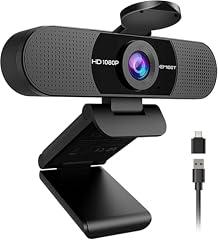
EMEET C960 Webcam 2025 Version
Overview
This is a compact, USB-powered 1080p webcam for computer video calls. The current product documentation describes a fixed-focus CMOS camera, dual microphones, a monitor clip, a USB-A plug with an A-to-C adapter, and a separate privacy cover. It is intended to work without a required companion app, although EMEETLINK is available for image adjustments. An older manufacturer manual documents 1920 by 1080 capture at 30 fps, an activity LED, a tripod-ready base, and automatic USB setup on supported computers. Independent hands-on testing of the C960 family found acceptable results in good light, but weak color and grainier output in dim light. That testing also characterized the built-in microphones as middling. Documentation has changed across C960 revisions, so claims about the supplied shutter, warranty term, focal range, and current operating-system support should be checked against the package for the unit received.
What works
- Independent hands-on testing found the C960 delivers usable, clear video when the scene is well lit.
- The documented USB setup does not require EMEETLINK, reducing software dependence for ordinary calls.
- The camera has a physical lens cover, stated for this version, rather than relying only on an app permission.
- The manufacturer documents both camera and microphone selection in operating-system and calling-app settings.
- A current EMEET software page still lists the C960 among supported EMEETLINK cameras.
What does not
- Independent testing found dim-light color handling and image quality weak, despite the low-light-correction claim.
- Independent testing found the microphones middling, so quiet-room calls are a more realistic use than demanding voice recording.
- The lens shutter is a separate adhesive accessory, not an integrated shutter, and it does not physically mute the microphones.
- No exact-model UL, ETL, CSA, FCC Supplier's Declaration of Conformity, or other U.S. compliance document was located during verification.
- No product-specific materials declaration, repair guide, replacement-parts policy, or U.S. manufacturer take-back program was located.
Who is it for
This product fits a person who needs a simple external camera for routine calls from a desktop monitor or laptop, works in a reasonably well-lit room, and is comfortable choosing the camera and microphone in the meeting app. The wide 90-degree view can accommodate a wider desk scene or more than one person. It also suits users who prefer basic USB operation without installing camera software, while retaining the option to adjust image settings with EMEETLINK if needed.
Who is it not for
It is not a good fit for people who regularly work in dim rooms, need faithful color for client-facing video, or expect consistently smooth video without controlling lighting. It is also unsuitable for podcasting, music, teaching in noisy spaces, or accessibility-critical speech capture when built-in microphone quality is important. Privacy-sensitive users who need to disable both video and audio with one durable hardware control should look elsewhere, because the supplied cover only blocks the lens. Buyers requiring verified U.S. safety or electromagnetic-compliance paperwork should also choose a documented product.
Integrity
The direct health-related strengths are modest but practical. The webcam is USB-powered, so it has no separate mains power adapter to manage, and current documentation states that a physical privacy cover is included. Older manufacturer documentation also identifies an activity LED. Independent testing of an earlier refreshed C960 found that its adhesive shutter worked, but that design is less robust than an integrated shutter and does not stop microphone capture. No CPSC recall or public warning specific to this webcam was located in the verification work. However, no exact-product listing in UL, ETL, or CSA directories and no public U.S. compliance declaration were located. EMEET provides public support contact details and a general privacy policy, but no product-specific recycling or take-back route, material disclosure, repair instructions, or replacement-parts policy was found. At end of life, it should be handled through an electronics recycler rather than household trash.

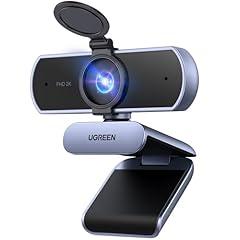
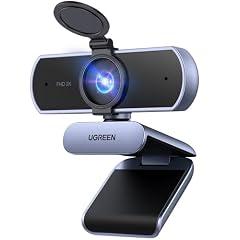
UGREEN 2K Ultra HD Webcam with Microphone
Overview
This compact USB webcam is intended for video calls, remote classes, streaming, and basic desktop recording. It connects through its attached USB cable and can sit on a desk, clip to a screen, or use its threaded tripod mount. Product documentation identifies dual microphones, a separate physical privacy cover, automatic light correction, and 2K capture at up to 30 frames per second as manufacturer-stated features. Independent review evidence supports clear 1440p video and intelligible meeting audio in good lighting at ordinary desk distance. That evidence also identifies meaningful limits: this is a fixed-focus camera with a broad frame and no documented zoom control, dim rooms reduce detail, and the simple monitor clip may not lock firmly on every display. Published product materials conflict on whether its field of view is 80 or 95 degrees, so buyers should not treat either number as firmly established.
What works
- A supplied physical cover blocks the lens when closed, rather than relying only on software permissions.
- An independent exact-product review found crisp 1440p desk-call video in decent lighting and smooth 30 fps motion.
- The camera can be clipped to a screen, placed on a desk, or fitted to a separately purchased tripod.
- No companion application, account, or cloud feature was identified for ordinary camera use, which limits unnecessary software dependency.
- UGREEN publishes customer support contact details and advertises a two-year product warranty, although product-specific Amazon warranty handling was not independently confirmed.
What does not
- There is no disclosed accredited laboratory report for this exact product's image resolution, low-light behavior, or microphone performance.
- The fixed-focus lens is less suitable for close-up documents, demonstrations, and users who sit unusually near the display.
- Independent review evidence reports reduced detail in dim rooms and possible banding under some LED lighting.
- The included cover protects video only. No physical microphone mute control was documented.
- No exact-model U.S. safety listing, FCC Supplier's Declaration of Conformity, material declaration, repair program, or manufacturer take-back program was located.
Who is it for
This product suits a desktop or docked-laptop user who needs a simple USB camera for routine calls, online classes, interviews, or meetings in a reasonably well-lit room. It is especially practical for someone seated at a typical arm's-length distance who can position the camera once and leave it there. The physical lens cover is useful for users who want a direct visual way to block video capture between calls. A tripod can help where the screen clip does not fit securely.
Who is it not for
It is not well suited to people who regularly hold documents, products, or craft work close to the lens, because the fixed-focus design cannot refocus for near objects. It is also a poor fit for dim offices, rooms lit mainly by problematic LED fixtures, or production work requiring validated low-light quality. Users handling sensitive conversations should choose a setup with a hardware microphone mute option. Buyers who require verified electrical certification, formal compliance documents, repair parts, or a documented U.S. recycling route need more documentation than was found here.
Integrity
The main privacy protection is concrete: the included cover physically blocks the lens when it is shut. That is more dependable for video privacy than changing an application permission alone. It does not block its microphones, and no dedicated hardware microphone mute was documented. The camera appears to operate as a straightforward USB peripheral without a required companion app or cloud account, although no product-specific firmware support period or security-update policy was found. No CPSC recall specific to this webcam was located in the U.S. recall search. However, no exact-product UL, ETL, CSA, or other U.S. NRTL safety listing was located, and no exact-model FCC compliance declaration was found. UGREEN provides a support route and advertises warranty coverage, but published material does not establish recycled content, repairability, spare parts, packaging composition, a U.S. take-back service, or a model-specific recycling program. Use local electronics recycling rather than household trash when it reaches end of life.

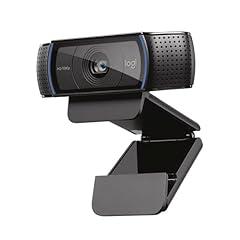
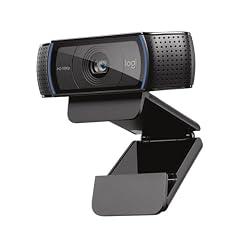
Logitech C920x HD Pro Webcam
Overview
This product is a USB-A desktop webcam for video calls, simple recordings, and streaming. It has a fixed 5 foot attached cable, a monitor clip with a tripod thread, dual microphones, autofocus, and an activity LED. Logitech documents Full HD 1080p capture at 30 frames per second and a 78 degree field of view. The core camera specification is manufacturer-stated, not laboratory-certified. Independent reviews of the closely related C920 platform support usable sharpness and dependable autofocus in ordinary indoor lighting, while also finding that built-in audio is a convenience feature rather than a substitute for a dedicated microphone. This version does not include a physical lens shutter, so the LED and software or system permissions are the main capture controls.
What works
- Manufacturer documentation specifies 1080p video at 30 frames per second, autofocus, dual microphones, an activity LED, and a 78 degree field of view.
- The attached 5 foot USB-A cable, monitor clip, and tripod thread support straightforward desk placement.
- Independent review evidence for the closely related C920 platform supports clear video in ordinary lighting and generally capable autofocus.
- Logitech documents U.S. recycling routes for webcams, including partner drop-off and mail-back options.
What does not
- There is no physical privacy shutter. Closing software or changing permissions does not provide the same visible, hardware-level block against video capture.
- Independent testing found the related C920 platform's built-in microphone acceptable only as a fallback, with a headset or USB microphone providing stronger audio.
- 30 frames per second limits motion smoothness, and the 78 degree view is not intended for wide room coverage.
- No exact-product accredited laboratory report was found for image resolution, low-light noise, microphone pickup, mount load, or electrical safety certification.
- Logitech support lists no spare parts for the related C920 support entry, and its legacy firmware update tool is no longer maintained.
Who is it for
This product suits a desk-based caller who needs a conventional USB webcam for individual meetings, remote work, classes, or casual streaming in a reasonably lit room. It is practical for someone who can place the camera near the screen with its attached 5 foot cable, values autofocus and a tripod option, and already uses a headset or does not need polished recorded audio. It also fits users who prefer a simple camera without a required cloud video service.
Who is it not for
It is not suited to people who need a hardware barrier against unwanted camera use, including shared homes, dorm rooms, therapy spaces, bedrooms, or workstations handling sensitive information. The lack of a physical shutter means users must rely on the activity LED, operating-system permissions, unplugging it, or adding a compatible external cover. It is also a poor fit for fast-motion recording, wide-room framing, dark rooms, podcasting, or professional voice recording where 30 fps and built-in microphones create clear limits.
Integrity
The primary privacy concern is concrete, this product has an activity LED but no documented physical lens shutter. A visible LED can help signal use, but it does not physically prevent video capture. The webcam is USB bus-powered and does not ship with a separate mains power adapter. No U.S. CPSC recall or product-specific safety warning was identified in the checked sources. A public U.S. electrical safety listing for this exact product was not located. Logitech publishes a U.S. end-of-life program that accepts webcams through Best Buy partner collection, and provides mail-back support where local drop-off is inconvenient. That gives this product a practical disposal route. However, no product-specific evidence was found for recycled-plastic content, repairability, replaceable cable design, plastic-free packaging, or a product carbon footprint. The permanently attached cable and absent listed spare parts can limit repair options if either component fails.

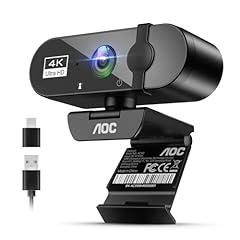
AOC 4K Webcam with Microphone and Privacy Cover
Overview
This is a compact, wired USB webcam for a monitor, laptop, desk, or tripod. It has an integrated microphone, an adjustable clip, and a USB-A connection with a USB-C adapter. Product documentation states that it can output 4K video at 30 frames per second on Windows, while macOS may default to 1080p. It is intended for video calls, online classes, conferencing, and basic streaming. Its most tangible privacy feature is a manufacturer-stated physical sliding lens cover. The microphone remains a separate consideration because a lens shutter does not establish a hardware microphone mute. The available product materials also conflict on key specifications, including whether the field of view is 90 or 99 degrees and whether the sensor is CMOS or CCD. No accredited laboratory report was located for its video or microphone performance.
What works
- Physical sliding lens cover provides a direct way to block video capture, according to product documentation.
- USB-powered design avoids a separate wall power adapter, reducing one potential electrical accessory concern.
- The supplied USB-C adapter can simplify use with laptops that lack USB-A ports, according to product materials.
- AOC publishes U.S. support, warranty, and electronics-recycling information at the brand level.
What does not
- Key product specifications are inconsistent across available materials, including the field of view and sensor type.
- The 4K, autofocus, low-light correction, and noise-cancellation claims were not confirmed by an accredited or method-disclosing independent test of this product.
- A physical lens shutter does not itself disable the built-in microphone, and no hardware microphone-mute control was documented.
- No product-specific U.S. safety listing, FCC compliance declaration, or certification record was located in the checked public sources.
Who is it for
This product suits a home worker, student, or occasional caller who wants a compact wired camera with a straightforward physical way to cover the lens after a call. It is also suited to people using a Windows computer who can select the camera’s highest available mode and do not require formally tested image or microphone results. The USB-powered design and included USB-C adapter are useful for a simple desk setup with no separate power brick.
Who is it not for
It is not for users whose work requires demonstrated 4K image quality, dependable low-light video, or documented microphone noise reduction, such as professional streamers, remote presenters, or people recording important interviews. It is also not a complete privacy solution for people who need a hardware microphone disconnect, because the documented shutter covers only the lens. Buyers needing verified U.S. safety and electromagnetic-compliance paperwork should use a product with public, model-specific records.
Integrity
The camera is USB powered, and the available product disclosure identifies 5 V USB power rather than a supplied mains adapter. No product-specific recall or consumer safety warning was found in the checked U.S. Consumer Product Safety Commission sources. However, no exact-product safety certification or public U.S. compliance declaration was located, so the electrical and traceability evidence remains limited. AOC has a U.S. environmental policy that describes recycling routes and some state take-back arrangements for AOC electronics. That is useful brand-level end-of-life support, but it does not verify recycled content, repairability, packaging composition, or a product-specific take-back route for this webcam. Recycle it as electronic equipment through an appropriate local program, rather than placing it in household recycling.