
10 Best Modems of 2026
 Daniel Kenitz
Please note that we participate in affiliate marketing programs. When you purchase through links on our site, we may earn a commission. As an Amazon Associate we earn from qualifying purchases. This comes at no additional cost to you and helps support the resources required to provide valuable content.Advertising Disclosure
Top-rated Modem Comparison
1

2
4
5
6
7
8
9
Modems: what to check before buying
A modem connects your home or office to an internet provider’s network. Cable modems use coaxial cable and DOCSIS standards; they may be modem-only products that need a separate router, or gateways that combine the modem with Wi-Fi and routing. A router by itself is not a cable modem and cannot be activated on a cable provider. Fiber, DSL, fixed-wireless, and satellite services require different equipment or provider hardware.
The first requirement is exact provider approval. A generic “works with” statement is not enough: approval can depend on your address, plan, upload tier, voice service, hardware revision, and the provider’s current device list. Check the local provider’s approved-device database, including Xfinity, Cox, or Spectrum tools where applicable, before purchase. Cable voice service also requires compatible eMTA or telephone hardware; many modem-only products explicitly do not support it.
Next, match the modem’s capacity to the plan and to the equipment connected to it. DOCSIS 3.1 is common among the supplied products, but the provider determines usable service, channel configuration, and upload capability. A 2.5 Gbps Ethernet port can avoid a 1 Gbps handoff bottleneck, while a modem with only Gigabit ports cannot deliver a faster single wired connection. Multiple ports do not automatically combine into a faster link: aggregation requires compatible equipment and configuration. A gateway’s advertised wireless rate is a theoretical combined link rate, not a guaranteed internet speed, and coverage varies with walls, distance, interference, and client hardware.
Look for records that can be matched to the exact model and hardware revision. CableLabs DOCSIS certification supports specification compliance and interoperability testing. FCC equipment-authorization records support radio compliance for Wi-Fi-capable products, but FCC authorization is not the same as an independent electrical-safety listing. UL Product iQ or Intertek’s ETL directory can provide traceable evidence for the product and its power supply. Also check CPSC recall and incident databases, manufacturer manuals and labels, and provider records rather than relying on seller badges.
For gateways, security matters because the device controls the home network. Prefer a documented firmware channel, clear support policy, secure administration, unique credentials, WPA3 where Wi-Fi is included, and no unresolved known-exploited vulnerability. App-managed products also need scrutiny of account requirements, cloud controls, permissions, and household network data practices. Modem-only products reduce app and wireless dependence, but provider-controlled firmware can limit how quickly owners receive fixes.
Power use is continuous, so published typical consumption is more useful than a maximum adapter rating. A longer warranty, available replacement power supply, current provider acceptance, and a stated support path can reduce premature replacement. At end of life, use a certified electronics recycler rather than household waste.
Across the supplied products, the recurring contraindication is straightforward: do not buy a modem or gateway without confirming the exact provider, address, plan, and required service features. Several products lack phone support, and modem-only models require a separate router. Products described as routers cannot replace a cable modem. Multi-gig claims also need matching Ethernet ports and provider approval; one product’s provider listing capped service below the manufacturer’s broader claim. Earlier firmware vulnerabilities appeared in several networking products, so updating and matching the hardware revision are essential. Fiber, DSL, fixed wireless, satellite, and cable voice customers should not assume a cable modem will work.
Integrity
These topics distinguish a modem that merely advertises compatibility or speed from one whose safety, privacy, service fit, and environmental claims are better supported. Scores reflect the supplied reviews; higher scores indicate stronger evidence or fit within the defined topic, not a guarantee that a product will work in every home.
HHealth & Safety
Electrical, heat and RF safety
This measures traceable safety authorization for the exact product and power supply, radio authorization where applicable, and the absence of unresolved shock, overheating, fire, interference, recall, or serious-incident concerns. For modems and gateways, high-scoring examples had stronger FCC or documented safety evidence; lower-scoring examples lacked a matching UL or ETL directory record or had incomplete independent verification.
Security updates and safe setup
This covers firmware support, vulnerability response, secure administration, credentials, WPA3 where Wi-Fi is present, and protection against takeover or compromise. High scores among the supplied products were associated with current firmware channels and documented fixes. Lower scores reflected older vulnerabilities, provider-controlled updates, unclear support periods, or the need to verify hardware revisions before installing firmware.
Privacy and cloud-data controls
This measures whether an app or cloud service collects household identifiers, device activity, usage, diagnostics, or account data, and whether core operation can remain local or avoid unnecessary accounts. Modem-only products scored well when no app or cloud account was needed. Gateway and router scores were lower where optional apps collected device or usage information or enabled remote management.
EEvidence
Works on your provider and plan
This measures whether the exact product and revision can be activated for the buyer’s provider, address, speed tier, upload tier, and voice needs. High scores came from provider-listed products with concrete limits, such as Xfinity’s stated service ceilings. Low scores came from routers with no cable activation path or from broad compatibility claims that still required address-level confirmation.
Independent proof, not badges
This checks whether DOCSIS, radio, safety, and performance claims match current third-party or provider records for the exact product. Higher-scoring products had corroboration from CableLabs-related evidence, FCC records, independent testing, or provider lists. Lower-scoring products relied more heavily on manufacturer claims, had mismatched documentation, or lacked an exact public UL, ETL, or certification record.
Speed and port bottleneck fit
This measures whether DOCSIS capability, channel support, Ethernet ports, and router or Wi-Fi capacity can carry the intended service without a hidden interface limit. High-scoring products paired multi-gig claims with a 2.5 Gbps port or tested throughput. Lower scores reflected Gigabit ports, theoretical aggregate wireless rates, or claims that exceeded what one wired connection could actually carry.
No missing service features
This measures whether the product includes what the buyer needs: cable access, voice, IPv6, bridge or access-point mode, routing, Wi-Fi, and the correct technology. High scores came from clearly documented, suitable feature sets. Lower scores were typical of routers placed in the modem category, modem-only products needing another router, and products with no telephone service or no DOCSIS interface.
Support life and obsolescence risk
This measures the likelihood that the product will remain secure, provider-accepted, and usable, considering firmware policy, warranty, replacement power supplies, and network direction. Higher-scoring products had current firmware pages, provider-specific releases, or two-year warranties. Lower scores reflected no stated end-of-support date, unclear update delivery, absent replacement programs, or uncertain future provider acceptance.
Honest speed and compatibility claims
This checks whether advertised speeds, coverage, savings, and “works with” language distinguish theoretical rates from provider-dependent service. High scores went to products whose ports, provider records, and documented limits aligned. Lower scores reflected broad claims such as all-provider compatibility, headline wireless totals, or advertised service levels that conflicted with provider listings or the product’s fastest Ethernet port.
Composite standing in this set
Using the frozen topic weights, the supplied products’ weighted means were generally strongest for the Hitron CODA56 at about 79.6, the NETGEAR CAX30 at about 77.9, and the ARRIS S33 at about 77.3. These figures balance evidence and service fit; they do not erase important differences such as modem-only design, provider limits, missing voice support, or incomplete safety records.
EEcology
Energy use and responsible end of life
This measures always-on electricity demand, power-supply efficiency, durability, repair or replacement options, packaging, and credible recycling or take-back routes. The strongest supplied example disclosed typical and maximum power use, while many others gave only adapter ratings or no operating figure. A two-year warranty or continued support helps extend use, but most products lacked a product-specific take-back program or independently verified efficiency certification.
Full reviews

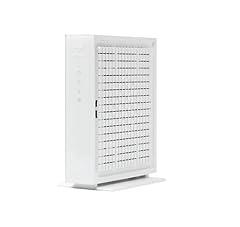
Hitron CODA56 Multi-Gigabit Modem
Overview
This product is a compact DOCSIS 3.1 cable modem for a home that already has a separate router or mesh system. It connects a cable coax line to one Ethernet device, using its single 2.5 Gigabit Ethernet port. There is no built-in WiFi, routing, telephone jack, or fiber and DSL capability. The supplied power adapter is specified at 12V DC, 2A. Its strongest externally checkable point is provider support. Xfinity’s compatible-device list names this product and lists up to 2.33 Gbps wired download capability. Hitron and a Cox-hosted installation guide also document activation paths for Cox, Spectrum, and Comcast, though service approval and usable upload speeds remain address and plan dependent. The manual identifies DOCSIS 3.1 with 32x8 legacy channel bonding and 2x2 OFDM and OFDMA capability, plus IPv4 and IPv6 support.
What works
- Xfinity’s compatible-device list identifies this product as a DOCSIS 3.1 modem with up to 2.33 Gbps wired download capability.
- The documented 2.5 Gigabit Ethernet port can carry service above 1 Gbps when the connected router and wired client also support 2.5GbE.
- The modem-only limits are unusually clear. It has no WiFi, router, voice, fiber, DSL, satellite, or fixed-wireless function.
- The manufacturer manual documents IPv4 and IPv6 support, a reset control, indoor-only use, and heat and moisture placement precautions.
What does not
- Provider compatibility is not universal. Approval, speed tier, and enhanced upload eligibility must be checked against the buyer’s address and plan.
- There is only one Ethernet port, so a separate router or a directly connected device is required, and that downstream equipment can become the speed limit.
- It cannot provide cable voice service or built-in WiFi. It is not suitable for households needing phone service through the modem or an all-in-one gateway.
- Firmware is delivered by the cable provider, not directly by the owner. Hitron publishes a vulnerability-reporting policy, but it does not name a support end date for this product.
- Support documentation is inconsistent. The older manual states a 180-day hardware warranty and 90 days of basic support, while the current retail page states a one-year limited warranty.
Who is it for
This product fits a cable-internet household using a compatible Xfinity, Cox, or Spectrum service, especially where the plan is above 1 Gbps and the household already owns a router or mesh system with a 2.5GbE WAN port. It also suits a wired setup in which one router is intended to sit behind the modem. Xfinity customers should still use the provider’s address-specific device checker because the documented 2.33 Gbps ceiling and enhanced upload access depend on local network and plan provisioning.
Who is it not for
It is not for fiber, DSL, satellite, fixed-wireless, or cable-phone households, because this product has neither support for those access types nor telephone hardware. It is also unsuitable for someone who needs WiFi directly from the modem, multiple wired LAN ports, or a simple all-in-one gateway. Buyers with a router limited to 1GbE will not receive more than roughly gigabit wired throughput through that connection. Those relying on faster upload tiers should confirm local approval before installation.
Integrity
The manufacturer manual lists FCC, UL, and cUL certifications and specifies a 100 to 240V AC external power adapter with 12V DC, 2A output. The product label text reproduced in a Cox-hosted guide states FCC Part 15 compliance, meaning it must not cause harmful interference and must accept received interference. I did not identify a CPSC recall or regulator warning specific to this product in the checks performed. The manual still matters for safe setup, it calls for indoor placement, avoiding moisture and excessive heat, keeping cords out of walkways, and correctly grounding the cable system. This is an always-on network device. Hitron describes it as designed for low power consumption, but it does not publish measured operating watts, external power-supply efficiency data, a product-specific take-back program, or a repair path. Its separate external adapter may be replaceable, but a documented replacement-parts commitment was not found. Use an electronics recycler that is certified through R2 or e-Stewards when the product reaches end of life.

TP-Link Archer AXE75 Tri-Band WiFi 6E Router
Overview
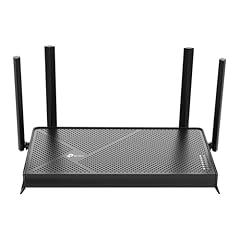
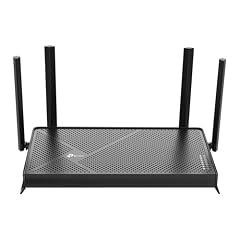
This product is a standalone tri-band Wi-Fi 6E router, not a cable modem. It connects by Ethernet to an existing modem, fiber gateway, or other upstream internet device, then supplies 2.4 GHz, 5 GHz, and 6 GHz Wi-Fi plus wired Ethernet to household devices. It cannot itself activate cable internet service or provide cable phone service. FCC materials identify the Archer AXE75 as an authorized Wi-Fi transmitter, with a stated 42 cm separation requirement during operation. TP-Link’s current US documentation confirms WPA3, IPv6, router and access-point modes, and current support pages for several hardware revisions. Port layout is revision-dependent. Current V2 documentation lists one 2.5 Gbps WAN/LAN port, one 1 Gbps WAN/LAN port, and three 1 Gbps LAN ports, while earlier versions used gigabit-only Ethernet. Independent testing exists, but published testing found 6 GHz results varied and did not necessarily outperform 5 GHz in the test home.
What works
- FCC authorization records and the US installation guide support the product’s 6 GHz Wi-Fi operation and RF compliance information.
- It provides three Wi-Fi bands, including 6 GHz for compatible Wi-Fi 6E devices, which can separate those devices from older 2.4 GHz and 5 GHz traffic.
- Current US V2 documentation lists a 2.5 Gbps WAN/LAN port, useful where the purchased hardware revision and upstream equipment both support multi-gig Ethernet.
- TP-Link maintains downloadable firmware and documentation for four US hardware versions, and its published support commitment extends to at least December 31, 2028 for V1.
- WPA3, IPv6, guest networks, firewall controls, and router or access-point modes are documented by the manufacturer.
What does not
- It is not a modem. Buyers seeking cable activation, DOCSIS service, or provider phone service need separate compatible equipment.
- The listing does not identify the hardware revision. That matters because port layouts differ, and the 2.5 Gbps port documented for current V2 hardware should not be assumed for every unit.
- The AXE5400 figure is an aggregate theoretical wireless link rate, not a guaranteed internet speed. Independent testing found 6 GHz throughput and latency did not consistently exceed 5 GHz results.
- A disclosed vulnerability affected the VPN component of V1.6 firmware through build 20250107. Update promptly and avoid exposing administration or VPN functions unnecessarily.
- Tether app disclosures describe collection of identifiers, usage data, diagnostics, and some optional personal or media data. Cloud functions and subscriptions are optional but should be reviewed before use.
Who is it for
This product suits a household that already has a working cable modem, fiber gateway, fixed-wireless gateway, or Ethernet handoff and needs a separate router. It is most relevant for homes with several modern Wi-Fi 6 or Wi-Fi 6E phones, laptops, or gaming devices that can use the additional 6 GHz band. It also fits users who will confirm the hardware version before relying on the current V2 multi-gig port layout, keep firmware current, and can place the router with meaningful clearance from regular occupied areas.
Who is it not for
It does not suit a buyer shopping under the modem category who needs a device approved for cable activation, DOCSIS service, voice service, or direct connection to a coaxial cable. It is also unsuitable for households that need guaranteed multi-gig wired networking without checking the unit’s hardware revision, because earlier versions differ from current V2 port documentation. Users who cannot update firmware, who require a fully offline app-free management workflow, or who expect the 6 GHz band to automatically improve range through walls should consider those constraints carefully.
Integrity
The product’s US installation guide names the supplied 12 V, 2.5 A power supply for current V2 hardware and provides FCC Part 15 and RF-exposure information. Its stated mobile-use separation distance is 42 cm. No product-specific CPSC recall or safety warning was located in the verification work. A UL or ETL listing for this exact router and power supply was not independently confirmed, so the safety evidence is strongest for FCC radio compliance rather than third-party electrical listing. TP-Link documents networked-standby consumption of 5.39 W, rising to 7.74 W when wired and wireless ports are active, plus 0.06 W in off mode. Those are manufacturer figures, not independently measured results. The guide also includes WEEE recycling instructions, but that program language is European. US buyers should use a certified electronics recycler or local program rather than assume a US manufacturer take-back route. Keeping supported hardware updated and in service can reduce premature replacement.

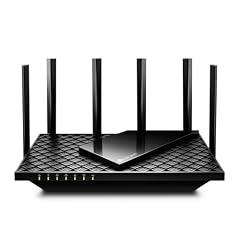
TP-Link Archer BE6500 Dual-Band Wi-Fi 7 Router
Overview
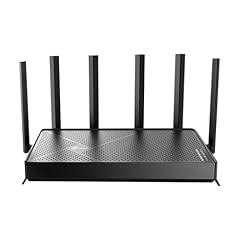
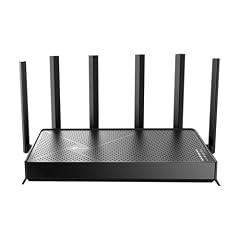
This product is a dual-band Wi-Fi 7 router, not a cable modem. It connects by Ethernet to an already activated cable modem, fiber ONT, or provider gateway, then supplies home routing and Wi-Fi on 2.4 GHz and 5 GHz. It has six fixed antennas, one USB 3.0 port, three 1 Gbps LAN ports, plus one 2.5 Gbps WAN and one 2.5 Gbps LAN port. TP-Link states combined wireless link rates of up to 6.5 Gbps, split as 5,764 Mbps on 5 GHz and 688 Mbps on 2.4 GHz. Those are link-rate claims rather than an internet-speed guarantee. Independent RTINGS testing exists for this exact model, which is meaningful corroboration beyond the listing. The US version also has a current firmware download history, including version 1.2.4 released June 2, 2026, and it includes WPA3, IPv6, guest and IoT networks, VPN functions, and access point mode.
What works
- Independent performance testing is available for this exact router, rather than only marketing claims.
- The wired layout supports a multi-gig internet handoff and one multi-gig wired client, with separate 2.5 Gbps WAN and LAN ports.
- WPA3, a separate IoT network, guest networking, IPv6, VPN client and server functions, and access point mode are documented by the manufacturer.
- TP-Link maintains a current firmware page and issued a fix path for the known nearby Wi-Fi denial-of-service vulnerability.
What does not
- It cannot replace or activate as a cable modem. It has no DOCSIS hardware, no CableLabs modem certification, and no provider activation path.
- It has no phone port or eMTA capability, so it cannot provide cable voice service.
- It is dual-band only. There is no 6 GHz band, which limits the Wi-Fi 7 spectrum available to compatible devices.
- The stated 6.5 Gbps Wi-Fi rate and home coverage are manufacturer link-rate and environment-dependent claims, not guaranteed internet throughput or whole-home coverage.
Who is it for
This product suits a household that already has a working modem, fiber ONT, or ISP gateway and needs a standalone router with Wi-Fi 7 on 2.4 GHz and 5 GHz. It is particularly relevant where the internet plan or local wired devices can benefit from 2.5 Gbps Ethernet, but only one wired client needs that speed. It also fits users who want separate guest and IoT networks, WPA3, local web administration, or the option to use the unit as an access point behind an existing router.
Who is it not for
It is not for a buyer searching for a modem for cable service. This product cannot be provisioned by Xfinity, Cox, Spectrum, or another cable provider as the DOCSIS endpoint, and it cannot replace leased cable voice equipment. It also does not suit households requiring 6 GHz Wi-Fi, more than one 2.5 Gbps LAN client without an added switch, or assured whole-home coverage across difficult layouts. Buyers who will not keep firmware current should note the documented nearby wireless denial-of-service flaw in older firmware.
Integrity
The US product documentation identifies FCC compliance information and a supplied 12 V, 2.5 A external power supply. The equipment authorization record includes the exact router family and FCC radio test documentation. The installation guidance requires the normal separation precautions for radio equipment. No matching CPSC recall was found in the checked sources. A traceable UL or ETL listing for the exact bundled power supply was not located in the checked public directories, so that independent electrical-safety evidence remains incomplete. Security requires active maintenance. TP-Link disclosed that older firmware could allow a nearby attacker to trigger a reboot, and the vendor directs affected owners to update. The Tether app is optional for core router operation, but cloud management uses a TP-Link ID. Google Play reports encrypted transit, deletion requests, and no declared third-party data sharing, while also listing collection of account, device, app activity, and optional analytics data. TP-Link reports 9.10 W idle power for this model through the Small Network Equipment voluntary agreement. Product-specific US take-back details were not identified.

Arris Surfboard S33 DOCSIS 3.1 Cable Modem
Overview
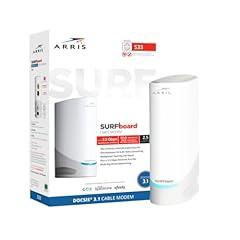
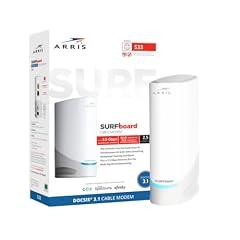
This is a compact, standalone DOCSIS 3.1 cable modem for a cable internet connection. It connects to the wall coax outlet and then to one router or computer by Ethernet. It is not a Wi-Fi router or phone modem, so a separate router is needed for household wireless networking and it cannot replace equipment required for cable voice service. The hardware documentation confirms one 2.5 Gb Ethernet port and one 1 Gb Ethernet port. Xfinity's compatible-device list independently lists the S33 as a recommended DOCSIS 3.1 modem with wired download support up to 2.33 Gbps. That makes the 2.5 Gb port useful for compatible cable plans above 1 Gbps, provided the router, Ethernet cabling, and local service tier also support those speeds. The exact retail hardware revision and local provider approval still need checking before activation.
What works
- Xfinity independently lists the S33 as a recommended DOCSIS 3.1 modem, with wired download support up to 2.33 Gbps.
- The manufacturer documents a 2.5 Gb Ethernet port, which can avoid a 1 Gb wired bottleneck on a suitably provisioned plan.
- The local web manager requires creation of a new password at first use, rather than leaving the initial setup without a password prompt.
- CableLabs certification records identify an S33 DOCSIS 3.1 cable modem configuration with a 2.5 Gb Ethernet interface.
- ARRIS states a two-year limited warranty from purchase.
What does not
- It is modem-only hardware. It has no built-in Wi-Fi and no telephone ports, so it does not provide cable voice service or home wireless networking by itself.
- The two Ethernet ports do not support link aggregation. A second connected device also requires the cable provider to assign another internet address.
- Xfinity lists it for standard compatible service, but not for its enhanced upload or Next Gen speed tier. Local plan and address eligibility matter.
- The reviewed documentation does not provide a public firmware-support lifetime, release-history archive, or product-specific security advisory record.
- No public power-consumption figure, external-power-supply efficiency record, or manufacturer take-back route was located in the reviewed materials.
Who is it for
This product fits a cable internet household that already owns a capable Wi-Fi router and has an approved standard DOCSIS 3.1 service plan, particularly a plan above 1 Gbps downstream. Its 2.5 Gb Ethernet port gives the router a path beyond gigabit speed when the router's WAN port and Ethernet link also support 2.5 Gb operation. It also suits a single computer or small wired setup where the buyer wants modem status access through a local web manager rather than a bundled gateway interface.
Who is it not for
It does not fit homes that need cable phone service, built-in Wi-Fi, or a single-box gateway, because this product has neither wireless networking nor telephone capability. It is also a poor fit for subscribers seeking Xfinity enhanced upload or Next Gen service, since the S33 is absent from the provider's listed devices for that tier. Buyers should not assume it will activate with every cable provider, every address, or every hardware revision. Fiber and DSL customers need equipment for their own access technology instead.
Integrity
The installation guide describes an indoor-only setup and warns against routing Ethernet cables outdoors, where lightning exposure can create a safety hazard. It also directs owners to use the supplied 12 V power supply. The reviewed product documentation includes a regulatory card, and CableLabs certification material supports the DOCSIS 3.1 basis of the product, but a public exact-model UL or ETL listing and a public exact-model FCC equipment record were not located in the reviewed registers. No relevant CPSC recall was identified in the reviewed recall search results. For digital safety, the local management interface prompts the owner to set a new password on first use. Firmware delivery and some configuration controls are handled through the cable provider, but ARRIS does not publish a clear product-specific support end date in the reviewed materials. Environmental documentation is thin. No verified always-on power figure, power-supply efficiency certification, repair program, packaging details, or manufacturer recycling route was found. Use an EPA, R2, or e-Stewards certified electronics recycler when the product reaches end of life.

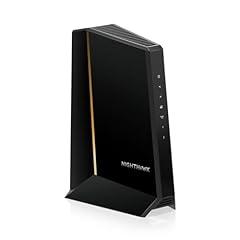
NETGEAR Nighthawk CM3000 Cable Modem
Overview
This product is a standalone DOCSIS 3.1 cable modem for a home that already has, or plans to add, a separate router or mesh Wi-Fi system. It connects to the cable line by coaxial cable and provides one 2.5 Gbps Ethernet port plus two 1 Gbps ports that can be link-aggregated with compatible networking equipment. It has no built-in Wi-Fi and no phone jacks. Its most consequential independent confirmation is provider-side. Xfinity lists it as a recommended device for its Next Gen Speed Tier, with provider-tested ceilings of up to 2.33 Gbps download and 486 Mbps upload. NETGEAR states that mid-split and high-split support depends on the local provider network and plan. The manual also specifies a label-printed default administration password, but its instructions contain conflicting legacy references to a generic password, which weakens setup documentation clarity.
What works
- Xfinity independently lists the product as recommended for its Next Gen Speed Tier, including enhanced upload capability where that service is available.
- A 2.5 Gbps Ethernet port can pass service above 1 Gbps to a router with a matching multi-gig WAN port.
- Two additional 1 Gbps Ethernet ports support link aggregation for routers that specifically support that configuration.
- The manual documents local browser administration and a product-label default password, without requiring built-in Wi-Fi or a cloud management app.
- NETGEAR documents current provider-specific firmware versions for Xfinity, Spectrum, and Cox.
What does not
- It is modem-only hardware. It supplies neither Wi-Fi nor routing, so a separate router is needed for a normal household network.
- It has no telephone ports, so it is not suitable for cable voice service.
- Actual approval, download speed, and upload speed remain address and plan dependent. Mid-split and high-split availability is not universal.
- Firmware is delivered by the cable provider rather than installed directly by the owner, which can make remediation dependent on ISP deployment.
- The manual gives inconsistent default-password instructions in different sections. The owner should use the password printed on the product label and change it promptly.
- No product-specific always-on power-consumption figure or US take-back route was located.
Who is it for
This product suits a cable internet household using Xfinity, Spectrum, or Cox that wants to own a modem and already has a capable separate router. It is particularly relevant for an Xfinity customer at an address eligible for the provider's Next Gen Speed Tier, because Xfinity independently lists this product for up to 2.33 Gbps download and 486 Mbps upload. It also fits a home whose router has a 2.5 Gbps WAN port, or supports WAN link aggregation, and whose cable plan and local network can actually exceed 1 Gbps.
Who is it not for
It is not for fiber, DSL, fixed-wireless, satellite, or cable-phone customers. The product has no phone ports, Wi-Fi radios, or router functions, so it is not a complete one-box home network and it cannot replace an ISP voice gateway. It is also a poor fit for someone with only a 1 Gbps router WAN port who does not intend to replace it, since that downstream interface can limit usable wired speed. Buyers should also not assume enhanced uploads until their specific address and plan are confirmed by the cable provider.
Integrity
The manufacturer manual states FCC and UL compliance and CableLabs certification, and the product uses a low-voltage external adapter rated at 12 VDC and 1.5 A. The manual includes an overheating indicator and directs users to disconnect power, allow cooling, keep the unit vertical, and maintain ventilation if that indicator is red. No product-specific CPSC recall or regulatory warning was identified in the review work. This is non-wireless modem hardware, so it does not add household Wi-Fi radio exposure. Its local status and administration page is accessed through a browser, and the default password is printed on the product label. Change that password after activation, especially because another manual section mistakenly refers to a generic default password. NETGEAR provides a one-year limited warranty and provider-managed firmware path, but does not publish a product-specific operating-wattage figure or a clearly identified US take-back program for this product. Use the included adapter, retain the unit for reuse where possible, and use a certified electronics recycler at end of life.

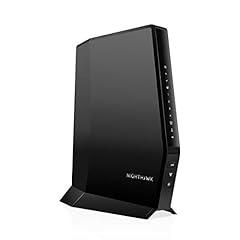
NETGEAR Nighthawk CAX30 Modem Router Combo
Overview
This product is an all-in-one cable modem and dual-band WiFi 6 router for cable internet households. It uses DOCSIS 3.1, supports older 32x8 DOCSIS 3.0 service, and includes four 1 Gigabit Ethernet ports plus one USB 3.0 port. It is intended for indoor use and needs activation with the household's cable provider. NETGEAR documents AX2700 WiFi link rates, split as up to 0.9 Gbps on 2.4 GHz and 1.8 Gbps on 5 GHz. Those are wireless link-rate figures, not an internet-speed guarantee. Its own documentation identifies four Gigabit wired ports, while an Xfinity compatible-device list has listed this model for wired download service up to 949 Mbps. FCC records independently match the CAX30 model to an authorized WiFi device. Current firmware remains available, but the cable modem firmware itself is provider-controlled.
What works
- The exact CAX30 model is tied to an FCC equipment authorization and RF exposure test record.
- NETGEAR's current compatibility table marks it certified for Xfinity, Cox, and Spectrum, subject to local plan and activation rules.
- Four Gigabit LAN ports provide practical wired connections for a household with sub-gigabit service.
- Current router firmware is listed by NETGEAR, and published CAX30 security advisories identify fixed versions.
- The product can operate as a modem-router gateway or in bridge mode with a separate router.
What does not
- Its Gigabit Ethernet ports create a practical wired ceiling below multi-gig service, despite the 2.7 Gbps WiFi marketing figure.
- It does not support cable-provider home phone service, so it cannot replace an eMTA voice gateway.
- Provider approval does not confirm suitability for every address, speed tier, upload tier, or future network upgrade.
- Factory-reset instructions retain the common admin and password credentials until the owner changes them during setup.
- NETGEAR collects device and network performance data through its products and apps, and its documented analytics opt-out guidance is specifically framed for EU and UK users.
Who is it for
This product suits a cable-internet household that wants one box for modem, WiFi, and wired networking, has standard internet service at or below roughly 1 Gbps, and does not use provider phone service. It is particularly relevant where the provider confirms the exact model for the address and plan, including Xfinity, Cox, or Spectrum. It also fits users who can place the gateway centrally, complete activation, change the administrator password, and keep router firmware current.
Who is it not for
It is not suited to households with cable phone service, because this product has no home-phone support. It is also a poor fit for customers paying for multi-gig wired service, since each LAN port is limited to 1 Gigabit Ethernet and the quoted AX2700 number is a combined theoretical WiFi link rate. Fiber, DSL, and fixed-wireless customers need equipment for their own access technology. Buyers needing guaranteed next-generation upload tiers should first confirm approval for their exact address and plan.
Integrity
The CAX30 has a traceable FCC authorization for its WiFi radio, including an RF exposure report for the exact model. No CPSC recall or public CPSC safety warning was located for this product during this review. However, no public UL or ETL listing could be confirmed for the complete product or included power supply, so the electrical-safety evidence is less complete than the radio authorization evidence. NETGEAR continues to publish firmware for this model and has issued fixes for disclosed security vulnerabilities. Owners should install the current router firmware and change the administrator credential during setup. NETGEAR's privacy materials state that its apps and products can collect identifiers, broad location, configuration, WiFi, firmware, performance, and diagnostic information. No product-specific power-use figure, external-power-supply efficiency record, repair program, or US take-back route was located, which limits assessment of its always-on energy demand and end-of-life handling.

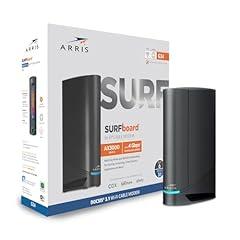
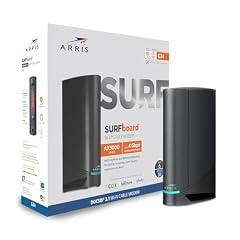
ARRIS G34 Cable Modem Router Combo
Overview
This product is a vertical, all-in-one cable internet gateway. It combines a DOCSIS 3.1 cable modem with a dual-band Wi-Fi 6 router, has one coaxial input and four 1 Gbps Ethernet ports, and uses the included 12 V, 2.5 A external power supply. It is intended for a cable internet connection, not fiber or DSL service. Independent testing confirmed the four gigabit ports and found good close-range Wi-Fi speeds and good overall range, while testing only the Wi-Fi side, not cable-modem throughput. Xfinity's published compatible-device list has listed this model for non-voice internet service up to 934 Mbps. The manufacturer documents bridge mode, IPv6, guest networking, parental controls, WPA3 options, and local web administration.
What works
- Independent testing found good Wi-Fi range and sufficient performance for several users streaming 4K content.
- Four verified 1 Gbps Ethernet ports provide practical wired connections for fixed devices.
- A single unit handles both cable-modem and Wi-Fi-router duties, reducing cabling and equipment count.
- The manual documents WPA3 Personal and WPA2/WPA3 mixed security options, plus unique label-based initial Wi-Fi credentials.
- Xfinity has published this model as compatible for internet service up to 934 Mbps, without voice support.
What does not
- Every Ethernet port is limited to 1 Gbps, so this gateway is not a fit where a faster-than-gigabit wired connection is required.
- The product is cable-only and does not provide telephone service. It is not a substitute for a fiber ONT, DSL modem, or voice gateway.
- Provider activation remains address and plan dependent. Buyers must confirm the current approved-device list, especially for enhanced upload tiers.
- Independent testing did not assess DOCSIS modem throughput, and the manufacturer-facing 4 Gbps plan language does not describe the practical 1 Gbps per-port wired limit clearly enough.
- No public end-of-support policy, product-specific power-consumption figure, or independently traceable safety listing for the included power supply was located.
Who is it for
This product suits a cable-internet household with a currently approved plan at or below roughly gigabit-class service, especially an apartment, condo, or small to medium home that wants one box instead of a separate modem and router. It has four wired ports for a desktop, television, console, or switch, and independent testing supports its Wi-Fi range for several active users. It also suits households that do not need provider phone service and can confirm activation with their exact cable provider and address first.
Who is it not for
It is not suited to households with cable phone service, fiber or DSL access, or a provider plan requiring a different approved gateway. Avoid relying on it for faster-than-gigabit wired networking, because every Ethernet connection is limited to 1 Gbps. Large or difficult-to-cover homes should also be cautious, because independent testing found no native mesh expansion. Security-sensitive users should account for the lack of a published end-of-support schedule and should change the administrator password, use WPA3 where possible, and keep remote management disabled unless needed.
Integrity
The product manual identifies an FCC ID and gives wireless exposure guidance, including keeping the antenna at least 20.3 cm from the body. An FCC authorization record exists for that identifier. No relevant CPSC recall was identified in the review search. The manual also specifies use of the supplied 12 V, 2.5 A power adapter only. A separately traceable UL or ETL listing for this exact gateway and included adapter was not located. For network safety, the gateway supports WPA3 Personal or WPA2/WPA3 mixed mode, uses unique label-based initial Wi-Fi credentials, and prompts users to change the administrator password. Its companion app declares collection of location, personal information, usage, and diagnostic data on Android, while Apple's disclosure lists contact information linked to identity and diagnostics or usage data not linked to identity. No product-specific energy-use figure was found. ARRIS support provides recycling guidance and a two-year limited warranty, but does not publish a product-specific support end date.

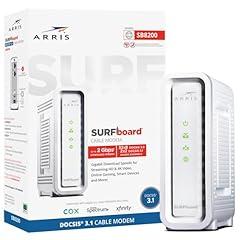
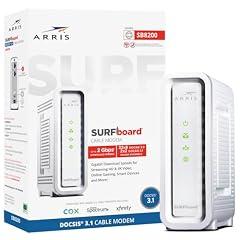
ARRIS SB8200 DOCSIS 3.1 Cable Modem
Overview
This product is a compact, standalone DOCSIS 3.1 cable modem for a home or small office with cable internet. It connects to the cable line by coaxial cable and passes internet service to a separate router or directly connected device through Ethernet. It is not a router, Wi-Fi access point, or phone modem, so a separate router is required for household Wi-Fi and it cannot provide cable voice service. The manufacturer specifies two 1 Gigabit Ethernet ports, 32 by 8 DOCSIS 3.0 channel bonding, and DOCSIS 3.1 OFDM support. Xfinity independently lists the base product for wired service up to 957 Mbps. That is more useful than generic multi-gig language because each individual Ethernet port is limited to Gigabit speed. The published manual also illustrates a bottom label with cULus Listed and FCC markings, while the official product page states a two-year limited warranty.
What works
- Xfinity independently lists the base product as compatible for wired download service up to 957 Mbps.
- DOCSIS 3.1 capability and 32 by 8 DOCSIS 3.0 fallback support fit many established cable networks.
- It has no built-in Wi-Fi radio, cloud app, or mandatory account for basic modem operation.
- The published manual illustrates cULus Listed and FCC markings on the product label.
- The manufacturer states a two-year limited warranty and maintains current support resources for this product.
What does not
- It is modem-only hardware, so it needs a separate router for Wi-Fi, local networking, and many security controls.
- It does not support cable phone service, which is a real limitation for households that need provider voice.
- Each Ethernet port is limited to 1 Gbps. A single wired device cannot exceed normal Gigabit Ethernet throughput.
- Provider approval is plan, address, and hardware-revision dependent. Xfinity lists it below its higher speed and enhanced-upload tiers.
- Firmware is controlled and delivered by the cable provider. No public product-specific security update history or end-of-support date was found.
Who is it for
This product suits a cable-internet household or small office that already has a capable separate router and uses a provider-approved plan at roughly 1 Gbps or below. It is particularly appropriate where the buyer wants a simple wired modem without another Wi-Fi radio, mobile app, or bundled voice function. Confirm the exact hardware revision and service tier with the local provider before activation, especially when moving service, changing addresses, or using a plan with enhanced upload speeds.
Who is it not for
It does not suit fiber, DSL, fixed wireless, or cellular internet customers because it requires a cable connection. It is also unsuitable for households needing cable phone service, built-in Wi-Fi, parental controls, or router security features in one box. Buyers on service tiers above about 1 Gbps, or on provider programs with enhanced upload speeds, need equipment specifically approved for those tiers. People who require a public, manufacturer-controlled firmware update path should also avoid relying on this modem alone.
Integrity
The published user manual illustrates FCC and cULus Listed marks on the product label and specifies use of the supplied external power adapter. This product has no Wi-Fi, Bluetooth, cellular, or other intentional wireless radio, which limits RF considerations to normal electronic-equipment emissions rather than in-home radio transmission. The label evidence is strong, although an exact current entry in the UL public directory was not independently matched during this review. Its external low-voltage power supply avoids mains voltage at the modem itself. Independent user-submitted power measurements vary by hardware revision, roughly 6 to 10 watts in ordinary use, but no model-specific official energy-use certification was located. The manufacturer does not offer a verified United States consumer take-back route for this product. At end of life, use a certified electronics recycler rather than household trash. The corporate owner reports using certified recycling partners in its own operations, which does not establish consumer collection access.

TP-Link Archer BE230 Dual-Band Wi-Fi 7 Router
Overview
This product is a dual-band Wi-Fi 7 router, not a cable modem. It connects behind an existing cable or DSL modem, fiber gateway, or other Ethernet handoff to provide home routing and Wi-Fi. TP-Link specifies four external antennas, 2.4 GHz and 5 GHz Wi-Fi only, one 2.5 Gbps WAN port, one 2.5 Gbps LAN port, three 1 Gbps LAN ports, and USB 3.0. Its stated maximum wireless link rate is 3.57 Gbps, which is a theoretical local Wi-Fi rate rather than an internet-plan guarantee. The V1 hardware has an FCC equipment authorization record, and independent RTINGS testing found strong performance for its class. The main practical limitation is its lack of 6 GHz Wi-Fi, so it cannot offer the third radio band available on some Wi-Fi 7 equipment. TP-Link continues to publish current firmware for V1 and V2 hardware revisions, but purchasers should identify the revision on the product label before applying updates.
What works
- Two 2.5 Gbps Ethernet ports can avoid a 1 Gbps wired bottleneck for compatible internet handoffs and local devices.
- Independent testing supports the manufacturer-stated high Wi-Fi capacity, while identifying the dual-band limitation clearly.
- WPA3, guest networks, an IoT network, local web management, and automatic firmware-update capability are documented by the manufacturer.
- TP-Link publishes current firmware for the V1 revision, including fixes for disclosed denial-of-service flaws.
- The US warranty policy provides two years of limited coverage for Wi-Fi routers purchased new through eligible channels.
What does not
- It is not a cable modem, so it cannot be activated directly on a cable-provider plan and cannot replace a DOCSIS modem.
- It has no eMTA telephone service and no built-in DSL, cable, or fiber optical terminal function.
- There is no 6 GHz radio, which limits Wi-Fi 7 band options and prevents use of 6 GHz-only client benefits.
- TP-Link disclosed two medium-severity denial-of-service vulnerabilities affecting older V1 firmware, so prompt updating is important.
- No product-specific measured power-consumption figure, external power-supply efficiency record, or US take-back program was located in the reviewed materials.
Who is it for
This product suits a household that already has a working modem, fiber gateway, or Ethernet internet handoff and needs a compact Wi-Fi router with faster-than-gigabit wired connections. It fits apartments, smaller homes, and typical multi-device use where 2.4 GHz and 5 GHz coverage is sufficient. It is also appropriate for users who will keep firmware current, use WPA3 where client devices support it, and want optional local browser management instead of relying only on the mobile app.
Who is it not for
It is not suitable for anyone shopping specifically for a cable modem, a device that must be activated by Xfinity, Cox, Spectrum, or another cable provider, or a household requiring landline phone service through the internet provider. Those uses need approved DOCSIS and, where required, eMTA hardware. It also does not fit buyers who specifically need 6 GHz Wi-Fi, or users unwilling to apply firmware updates after security advisories. Large or difficult layouts may require additional access points or mesh nodes after real placement testing.
Integrity
For RF compliance, the V1 version has an FCC authorization record, and TP-Link lists FCC compliance for the US product. No CPSC recall for this router was located in the review. However, an FCC authorization addresses radio compliance, not a complete independent assessment of the bundled power supply's electrical safety. A separate UL or ETL listing for the exact router and power supply was not verified. TP-Link disclosed two authenticated or high-privilege denial-of-service issues in older V1 firmware and identifies firmware 1.2.4 or later as the fix. The current support page shows newer V1 firmware, so update status matters. The router is always-on equipment with a manufacturer-stated 12 V, 2 A input rating, but no measured operating consumption was found. TP-Link offers a two-year US router warranty, which can support longer use, but a product-specific US recycling or take-back route was not verified.

NETGEAR Orbi 770 Tri-Band WiFi 7 Mesh System
Overview
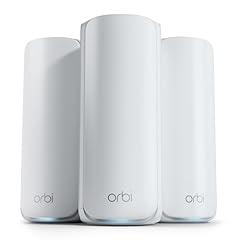
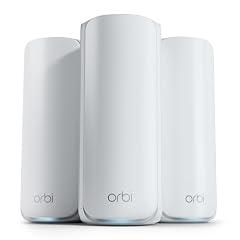
This product is a three-unit WiFi 7 mesh router system, not a cable modem. It contains one router and two satellite units, each with tri-band 2.4 GHz, 5 GHz, and 6 GHz WiFi. The router connects by Ethernet to an existing modem or gateway, so it cannot itself be activated by a cable provider or supply cable, DSL, fiber, or phone service. NETGEAR states up to 8,000 square feet of coverage and an 11 Gbps combined wireless link rate, while also stating that real coverage and throughput vary with construction, client hardware, traffic, and conditions. The wired Internet and LAN interfaces are 2.5 Gbps. Independent testing confirmed strong multi-gigabit local throughput, but also found that the 2.5 Gbps ports cap sustained wired and wireless delivery below the combined WiFi rating.
What works
- FCC authorization is traceable for the included router and satellite hardware, including RF-exposure documentation for U.S. operation.
- Independent testing measured about 2.4 Gbps through the wired ports and about 2.2 Gbps wireless backhaul at a 40-foot test distance.
- The product supports WPA3, separate main, guest, and IoT networks, VPN functions, and automatic firmware updates according to NETGEAR documentation.
- NETGEAR issued firmware fixes for RBE770 and RBE771 security vulnerabilities during 2026, showing an active patch path.
- A third-party test measured 13.9 watts for the router and 9.1 watts per satellite under its test conditions.
What does not
- It is not a modem. Buyers need an existing compatible modem or gateway, and must confirm that device with their ISP for plan activation, upload tier, and phone service.
- Every Ethernet port is limited to 2.5 Gbps, so this system cannot pass a 10 Gbps wired service tier at full speed.
- The 11 Gbps figure is a combined theoretical WiFi link rate, not an Internet speed promise. Independent results were substantially lower and depend on placement and client hardware.
- Some security and parental-control functions move beyond core routing into optional paid NETGEAR subscriptions after trial periods.
- NETGEAR's privacy policy covers app and service collection of identifiers, device and network-related technical data. Analytics controls exist, but the stated opt-out guidance is specifically available to EU and UK users.
Who is it for
This product suits a large home that already has a working modem or ISP gateway and needs WiFi coverage across several separated areas. It is most appropriate for households with multi-gig service up to 2.5 Gbps, recent WiFi 6E or WiFi 7 clients, and a practical need for two satellites. It also fits users who want guided app setup, separate guest and IoT networks, and the option to use 2.5 Gbps Ethernet for a desktop, switch, or wired satellite backhaul.
Who is it not for
It does not suit anyone shopping for a cable modem, a replacement for an ISP voice gateway, or hardware that must be activated directly by Xfinity, Cox, Spectrum, or another cable provider. Those uses require a provider-approved modem or gateway. It is also a poor fit for 5 Gbps or 10 Gbps internet plans because its WAN and LAN connections stop at 2.5 Gbps. Users requiring deep radio controls, a customizable 6 GHz network, USB storage features, or subscription-free advanced filtering should examine the limitations carefully.
Integrity
The included router and satellites carry an FCC equipment authorization and associated RF-exposure testing under the same FCC identifier. The label and manual specify indoor use for the 6 GHz band. No recall specific to this product was identified in the CPSC records checked. Earlier NETGEAR recalls found in those records concerned unrelated legacy Ethernet bridge hardware and outdoor camera power adapters. The system is an always-on network product with three external power supplies. A 2024 small-network-equipment efficiency report lists this exact U.S. product, and an independent review measured 32.1 watts total during its test, although actual consumption changes with traffic and connected devices. NETGEAR provides end-of-service guidance to factory-reset and unregister retired equipment, then use local e-waste recycling. Its listed end-of-service date is in 2029 for a regional RBE773 entry, but U.S. purchasers should confirm the current date for their exact retail version.