
10 Best Docking Stations
 Daniel Kenitz
Please note that we participate in affiliate marketing programs. When you purchase through links on our site, we may earn a commission. As an Amazon Associate we earn from qualifying purchases. This comes at no additional cost to you and helps support the resources required to provide valuable content.Advertising Disclosure
Top-rated Docking Stations Comparison
1

2
4
5
6
7
8
9
Docking stations: what to check before buying
A docking station turns one laptop connection into a group of ports for monitors, USB accessories, storage, memory cards, audio, wired networking, and sometimes laptop charging. Whether it works is determined less by the number of sockets than by the host computer, the dock’s power budget, the video standard supported by the host, and how the dock shares bandwidth among ports.
Start with the laptop. A USB-C port must support the functions you need: Power Delivery for charging and DisplayPort Alt Mode for video. Thunderbolt or USB4 docks require a compatible host for their advertised bandwidth. The operating system and computer chip also matter. Across the reviewed products, macOS commonly mirrors two external displays rather than extending them independently, while some base Apple-silicon Macs support only one external display. Windows multi-monitor claims likewise depend on the laptop’s graphics capability, DisplayPort version, Multi-Stream Transport, and sometimes Display Stream Compression. “Triple monitor” therefore does not mean three displays at a particular resolution on every computer.
Treat headline numbers as conditional. A “100W” or “160W” figure may describe power entering the dock or the adapter’s capacity, not power reaching the laptop. Look for separate figures for adapter input, dock consumption, host-delivered wattage, USB-PD profiles, and downstream charging. The supplied products commonly reserve power for the dock, with host output ranging below the headline input figure. A dock without an included charger shifts adapter selection to the buyer. A high-wattage laptop may still charge slowly or lose battery under demanding work if the dock’s host limit is too low.
Data-rate claims also need context. A 10Gbps port is a link-rate claim, not a promise of that speed during simultaneous storage, card-reader, display, Ethernet, and charging use. Shared upstream bandwidth can reduce transfer speeds or cause instability. Independent testing is most useful when it reports sustained storage transfers, Ethernet throughput, display stability, heat, and simultaneous port loading. Check whether the included cable is rated for the advertised USB-C, USB4, Power Delivery, or Thunderbolt function.
For safety, prefer an exact-model listing in a recognized U.S. safety directory: UL Product iQ, Intertek’s ETL directory, CSA’s product database, or TÜV Rheinland Certipedia, with coverage for the dock and any included adapter. USB-C, USB Power Delivery, USB 3.2, USB4, and Thunderbolt claims are stronger when the exact product or cable appears in the USB-IF or Intel certification listings. EMC evidence should identify the exact model through an FCC Part 15 Supplier’s Declaration of Conformity. A lack of located certification is an evidence gap, not proof that a product is unsafe.
Finally, check the maker’s model-specific manual, compatibility table, firmware page, warranty, recall process, and support contacts. Fixed host cables and integrated AC cables can make a failure more wasteful; detachable cables and adapters are easier to replace. The recurring supplied-product cautions are significant: no reviewed product had all expected U.S. safety and USB-C certification records located; several had conflicting display or charging claims; many lacked shared-bandwidth tables, firmware-security documentation, or independent load testing; and Mac multi-display limits repeatedly invalidated broad monitor claims. Buyers needing documented certification, guaranteed multi-monitor extension, or high-wattage workstation charging should verify those requirements before purchase.
Integrity
These topics distinguish a dock that merely lists ports from one with evidence about safety, compatibility, performance, support, and end-of-life handling. Scores are based on the supplied reviews; higher scores indicate stronger evidence or disclosure for that topic among these products, not a universal safety certification.
HHealth & Safety
Electrical and heat safety
This measures third-party safety listing and protections against shock, overheating, fire, and unsafe USB-C faults. It matters because docks may handle mains power or high USB-C power continuously. Supplied scores ran from 70 to 78: higher-scoring products had more documented protections or declarations, while the lower-scoring products still commonly lacked an exact UL, ETL, CSA, or TÜV listing.
Safe, honest laptop charging
This measures whether input power, dock consumption, host-delivered wattage, Power Delivery profiles, and laptop limits are clearly separated. That matters when a dock claims 85W, 100W, or more but reserves power for itself. Scores ranged from 60 to 84: stronger products disclosed the host figure and power behavior, while weaker ones had conflicting or incomplete charging information.
Electromagnetic compatibility
This measures evidence that the dock complies with U.S. electromagnetic-interference rules and is unlikely to disrupt nearby equipment. It matters because docks combine high-speed data, video, Ethernet, and switching power electronics. Scores ranged from 68 to 78. The stronger records included an exact-product FCC statement or other EMC documentation; lower scores lacked traceable model-specific FCC paperwork.
Secure, supported dock firmware
This measures model-specific firmware versions, controlled updates, fixes, security guidance, and support lifetime. It matters because docks connect storage, displays, networks, and USB devices and can also affect reliability. Scores ranged from 68 to 80. The strongest example listed support through a dock-management updater; lower-scoring products had only drivers, generic support, or no public firmware history.
Traceable maker and safety response
This measures model identification, U.S.-reachable support, warranty, recall handling, and a practical route to remedy defects. It matters when a dock fails, overheats, or needs a firmware fix. Scores ranged from 70 to 82. Higher-scoring products had clearer warranty and support channels; lower scores reflected limited documentation or uncertain model-specific service terms.
EEvidence
Verified USB-C, charging, and speed compliance
This measures certification of USB-C, USB Power Delivery, USB 3.2, USB4, Thunderbolt, and included cables for the exact product. It matters because a port label does not prove interoperability or advertised bandwidth. Scores clustered from 69 to 72: none had a located exact USB-IF record, so even the higher scores reflected better disclosure rather than full independent certification.
Truthful multi-monitor support
This measures whether monitor count, resolution, refresh rate, HDR, extension, mirroring, host requirements, and operating-system limits are stated accurately. It matters because display claims repeatedly depended on the laptop and OS. Scores ranged from 45 to 84. Higher-scoring products supplied host-specific tables or clearly disclosed Mac limits; lower scores had contradictory or broad triple-display claims.
Ports that perform together
This measures shared bandwidth, sustained transfers, Ethernet throughput, display stability, heat, and peripheral behavior under simultaneous use. It matters because a dock can perform well with one device yet slow down when storage, cards, displays, and networking share the connection. Scores ranged from 68 to 84. Independent load testing separated the stronger products from those supported only by specifications.
Clear, non-misleading specifications
This measures whether claims match manuals and disclose required cables, adapter wattage, operating-system restrictions, shared bandwidth, and exceptions. It matters because “8K,” “triple display,” and “100W” can describe narrow conditions. Scores ranged from 42 to 82. Higher-scoring products separated input from host power and explained display limits; lower scores had conflicting marketing and technical figures.
Claim traceability across the product record
This evidence area is reflected chiefly by the quality of model-specific documentation used to test claims against manuals, product pages, and independent measurements. In practice, the strongest supplied products paired concrete compatibility limits with measured transfers or load behavior. The weakest relied on broad listings, lacked exact manuals or certification records, or described capabilities inconsistently.
EEcology
Long life and responsible end-of-life
This measures replaceable cables or adapters, firmware support, service information, spare parts, and credible U.S. recycling or take-back routes. It matters because a failed fixed cable can make an otherwise usable dock electronic waste. Scores ranged from 66 to 75. Higher-scoring products offered detachable accessories, recycling routes, or service commitments; lower scores lacked repair and end-of-life details.
Lower-impact materials and packaging
This measures specific, documented claims about materials, chemicals, recycled content, and packaging. It matters because “aluminum” or “eco-friendly” language does not describe the product’s full material or packaging impact. Scores ranged from 54 to 76. Higher-scoring products had restricted-substance or environmental documentation; the lowest-scoring product had conflicting housing descriptions and no model-specific materials disclosure.
Full reviews
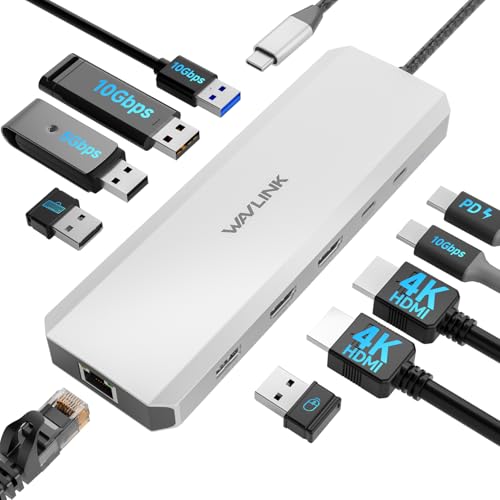
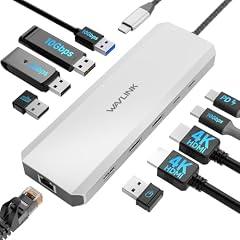
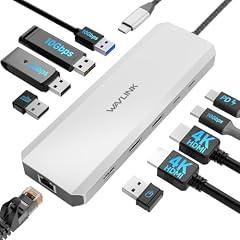
WAVLINK 10Gbps Laptop Docking Station
Overview
This is a compact USB-C laptop dock with a fixed host cable, two HDMI outputs, five USB-A ports, one USB-C data port, Gigabit Ethernet, and USB-C power pass-through. It is meant to turn a compatible laptop USB-C port into a desk connection for displays, storage, input devices, wired networking, and charging. WAVLINK states that the dock accepts up to 100W USB-C Power Delivery input and can pass up to 85W to the laptop. It also states that both HDMI ports can reach 4K at 60Hz, but this depends on a host port with DisplayPort Alt Mode and on the laptop's graphics capability. The maker specifically says macOS does not support its MST setup for independent dual displays, so attached displays mirror. An independent hands-on review reported normal USB and Ethernet operation, but did not publish instrumented throughput or heat results.
What works
- WAVLINK gives a concrete power budget, 100W input and up to 85W to the laptop.
- The official compatibility notes clearly require a full-function USB-C port with DisplayPort Alt Mode and Power Delivery.
- The maker discloses the macOS MST limitation, where two attached displays mirror rather than extend independently.
- An independent hands-on review found no obvious USB or Ethernet performance bottleneck in its informal testing.
- A reachable support phone number and support email are published for U.S. customers.
What does not
- No exact-model UL, ETL, CSA, or TÜV electrical-safety listing was located in the relevant public certification records.
- No USB-IF certification record was found for this product or its attached host cable, so the 10Gbps and USB-C charging claims remain manufacturer-stated.
- No traceable exact-model FCC Supplier's Declaration of Conformity or test report was located.
- The catalog description says Windows only, while WAVLINK's current product page also lists macOS and Android. Buyers should confirm the label and documentation for the unit being sold.
- No published port-sharing table, sustained laboratory test, repair parts program, or U.S. recycling route was found.
Who is it for
This product fits a Windows laptop user who has a USB-C port that explicitly supports DisplayPort Alt Mode and USB-C Power Delivery, and who needs a compact desk hub rather than a full powered dock. It is particularly suited to a two-monitor workspace with ordinary USB peripherals, wired Ethernet, and a separately purchased USB-C charger rated for the laptop. It can also suit a Mac user who only needs mirrored external screens, provided the Mac's own charging and external-display limits are checked first.
Who is it not for
It is not suited to buyers who need independently extended dual external displays on macOS, because WAVLINK says its MST design mirrors the screens on macOS. It is also unsuitable for laptops whose USB-C port is data-only, lacks DisplayPort Alt Mode, or cannot accept USB-C charging. Buyers who require a dock with publicly verifiable NRTL safety certification, USB-IF certification, an exact FCC compliance document, replaceable host cable support, or documented high-load performance should select a product with those records available.
Integrity
The main safety limitation is documentation, not a confirmed defect. Searches found no exact-product electrical listing from UL, ETL, CSA, or TÜV, and no public USB-IF certification record for the dock or its cable. No relevant U.S. Consumer Product Safety Commission recall was found in the checks performed. WAVLINK gives a specific charging ceiling, 100W input and up to 85W to the laptop, which is more useful than an undifferentiated 100W claim. Use a reputable USB-C charger that meets the laptop's power requirement, and stop use if the dock, cable, or connector becomes unusually hot. The housing is described as aluminum by the maker and was also described as all-aluminum in an independent hands-on review. That may help physical durability, but no product-specific recycled-content, chemical-material declaration, packaging specification, take-back program, spare-parts catalog, or certified U.S. recycling route was located. The fixed host cable is a likely wear point and its replacement procedure is not documented. WAVLINK does publish manuals, driver downloads, and U.S.-reachable support contacts, which can help extend usable life.

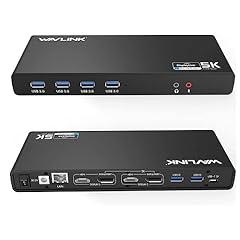
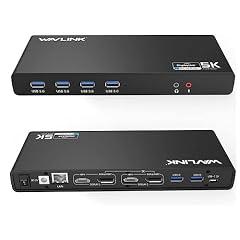
WAVLINK Dual 4K Display Laptop Docking Station
Overview
This is a powered desktop docking product that connects to a computer through USB-C or USB-A, using an included C-to-C or A-to-C cable. WAVLINK states that it has six USB-A 5 Gb/s ports, Gigabit Ethernet, microphone and audio jacks, two HDMI outputs, two DisplayPort outputs, and a separate 20 V, 2 A external power supply. Its enclosure is stated to be ABS plastic. The display system is DisplayLink based, rather than a native Thunderbolt dock. Manufacturer documentation states support for up to two added displays, including dual 4K at 60 Hz or one 5K display under stated connection conditions. The documentation also says a DisplayLink driver is required and that HDCP-protected video services cannot play through the dock. USB Power Delivery laptop charging is not specified.
What works
- A separate 20 V, 2 A power supply is included, so connected peripherals are not dependent solely on host-bus power.
- Manufacturer documentation clearly identifies DisplayLink as the display technology and provides current driver-download support.
- The stated port set supports a fixed desk setup with six USB-A accessories, wired Ethernet, audio, and two added displays.
- The product page discloses an important display-routing limit, when HDMI and DisplayPort are connected in the same group, only DisplayPort is active.
What does not
- No exact-model UL, ETL, CSA, or TÜV electrical-safety listing was located in the relevant public certification registers. The maker's phrase "certified power adapter" does not identify an issuing body or certificate number.
- No USB-IF certification record, USB-PD profiles, host-charging wattage, or shared USB power-budget table was located for this product.
- The four physical video connectors do not mean four simultaneous monitors. Documentation limits the product to two added displays and requires driver installation.
- No exact-model FCC Supplier's Declaration of Conformity or test report was found, and no independent multi-port stability testing was located.
- The support page offers driver downloads, but no model-specific firmware release notes, security advisories, end-of-support date, spare-parts catalog, or US take-back program was located.
Who is it for
This product suits a desk-bound Windows or Mac user who needs to attach older USB-A or newer USB-C computers to the same keyboard, mouse, wired network, audio gear, and up to two productivity displays. It is particularly relevant where an external power brick is preferable to relying on laptop-bus power, and where installing DisplayLink software is acceptable. The buyer should use ordinary office and productivity workloads, verify monitor cabling, and keep a separate laptop charger available.
Who is it not for
It is not well suited to buyers who need the dock to charge a laptop, because the documentation does not state any USB Power Delivery output or host-charging wattage. It is also unsuitable for protected streaming playback through the dock, because WAVLINK says HDCP content is unsupported. Avoid it for workflows requiring four simultaneously active external displays, native Thunderbolt or USB4 performance, published FCC and NRTL documentation, or validated sustained throughput while many high-speed peripherals operate at once.
Integrity
Electrical documentation is incomplete for a US safety-focused buyer. WAVLINK specifies a separate 20 V, 2 A adapter and the supplied quick guide includes basic moisture and damage precautions, but no exact-product UL, ETL, CSA, or TÜV listing could be confirmed from public issuing-body records. A CPSC recall search did not identify a recall for this product. That is useful context, but it is not equivalent to third-party electrical certification. The product is stated to use an ABS enclosure and includes detachable host cables plus an external power adapter, which can make replacement of those accessories more practical than with a captive cable. However, no recycled-content statement, environmental materials declaration, packaging specification, US take-back route, repair guide, or spare-parts program was located. DisplayLink driver support is available, but the manufacturer does not publish model-specific firmware security notes or an end-of-support policy.

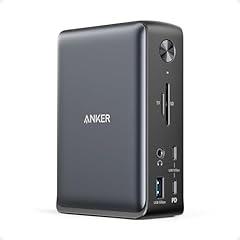
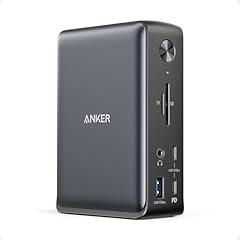
Anker 575 USB-C Docking Station 13-in-1
Overview
This is a powered desktop USB-C dock for a laptop workspace. It has two HDMI outputs, one DisplayPort output, Gigabit Ethernet, SD and microSD readers, audio, three USB-A ports, and three USB-C ports. It connects to the computer through a supplied USB-C cable and ships with a 135W external power adapter, according to Anker's product documentation. Anker states that the computer-facing connection can provide up to 85W, while the additional USB-C charging port is rated at 18W. Its detailed support material makes the display limits unusually clear: three 1080p displays at 60Hz require a suitable Windows host with DisplayPort 1.4 capability. macOS and iPadOS connected displays mirror rather than extend. Anker also offers a model-specific firmware download, although public release notes and update-security details were not located.
What works
- The supplied 135W adapter and stated 85W laptop charging limit give the product a defined power arrangement, rather than requiring a separate charger.
- Display restrictions are substantially disclosed. Anker specifies different limits for DisplayPort 1.2 and 1.4 hosts and says macOS and iPadOS displays mirror.
- The host port is stated to run at up to 10Gbps, which honestly limits expectations even when connected to a faster Thunderbolt laptop.
- Anker provides model-specific manuals, troubleshooting articles, firmware access, a U.S. phone number, email support, and an 18-month warranty.
- The manual includes a Part 15 Class B FCC compliance statement for the dock.
What does not
- No exact-model UL, ETL, CSA, or TÜV electrical-safety listing was located in the relevant public certification directories or product material.
- No exact product entry was located in the public USB-IF certified-product search, so USB-C, Power Delivery, and 10Gbps claims remain manufacturer-stated rather than independently certified.
- There is no public port-sharing or power-budget table showing how storage, Ethernet, card readers, displays, and charging perform together under load.
- The available firmware download has no public version history, security advisory record, signing information, or stated end-of-support date.
- No product-specific materials declaration, recycled-content evidence, packaging specification, take-back program, or spare-parts pathway was located.
Who is it for
This product suits a Windows laptop user building a fixed desk with several ordinary 1080p monitors, wired Ethernet, USB storage, memory cards, and a laptop that can charge at 85W or less through a USB-C port supporting both Power Delivery and DisplayPort Alt Mode. It is also suited to someone who values clear connection limits before setup. The supplied power adapter and cable reduce the number of additional essentials needed for this specific desk configuration.
Who is it not for
It is not suited to laptops that require more than 85W to maintain charge during demanding workloads, or to USB-C ports that lack Power Delivery or DisplayPort Alt Mode. It is also a poor fit for Mac users who need separate extended desktops from multiple monitors through one connection, since Anker says macOS and iPadOS outputs mirror. Buyers who require independently documented electrical certification, USB-IF certification, signed firmware updates, or published multi-port stress testing should use a product with those records available.
Integrity
The dock itself has no battery, which avoids the battery-fire and disposal issues associated with portable power products. Its manual carries a manufacturer Part 15 Class B FCC statement and says the product meets EU electromagnetic and hazardous-substance directives. However, no public exact-model NRTL safety listing or publicly retrievable U.S. FCC Supplier's Declaration of Conformity test record was located. Current CPSC recall material found for Anker concerns specified power-bank models, not this dock. The external adapter and USB-C cable are separate supplied items, which is more practical to replace than an integrated power lead. Anker provides support and firmware access for the product, but no product-specific spare-parts catalog, repair instructions, take-back route, materials declaration, recycled-content evidence, or packaging details were found. Recycle the dock and its adapter through a certified electronics recycler rather than household trash.

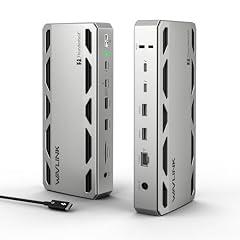
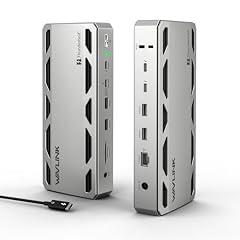
WAVLINK Thunderbolt 5 Docking Station
Overview
This is a self-powered desktop Thunderbolt 5 dock for connecting a laptop to storage, displays, wired networking, card media, audio, and USB accessories through one host cable. It has an aluminum housing, four 10Gbps USB-A ports, three downstream Thunderbolt 5 ports, 2.5Gb Ethernet, SD and microSD readers, and a 240W external power adapter. Independent reviewers confirmed the physical port layout and aluminum construction. Its Thunderbolt 5 status is independently confirmed through Intel's Thunderbolt Technology Community listing. WAVLINK states that the host port can provide up to 140W through USB PD 3.1, while downstream Thunderbolt ports provide 30W or 15W depending on port. The maker also publishes meaningful display limits, including no triple-display support on macOS and a Thunderbolt 5 Windows 11 host requirement for three displays. Independent testing found reliable everyday operation, but did not test the advertised 6K or 8K modes.
What works
- Thunderbolt 5 certification is independently listed, rather than relying only on marketing language.
- The manufacturer gives useful host and downstream charging figures, including up to 140W to a compatible laptop and 30W on one downstream port.
- Independent hands-on reviews reported stable multi-week use, effective heat control, and no audible fan noise under normal desk workloads.
- The display documentation names important limits, including macOS monitor restrictions and the need for a Thunderbolt 5 Windows 11 computer for triple-display use.
- Front-access SD and microSD readers, 2.5Gb Ethernet, and four 10Gbps USB-A ports support a workstation setup without separate adapters.
What does not
- No exact-model UL, ETL, CSA, or TÜV electrical-safety listing was located for the dock or its included U.S. power adapter. This is missing verification, not evidence of an unsafe product.
- No traceable FCC Supplier's Declaration of Conformity or exact-model EMC test report was located, so U.S. interference compliance is not readily auditable.
- There are no HDMI or DisplayPort sockets. External monitors need USB-C or Thunderbolt display connections, or additional adapters.
- The 8K and highest refresh-rate claims remain manufacturer-stated. Independent testing confirmed good 4K operation, but reviewers did not test 6K or 8K output.
- WAVLINK provides a driver and manual page, but no product-specific firmware release notes, signed-update process, or end-of-support policy was found.
Who is it for
It suits a Windows 11 or Mac workstation user who already has a Thunderbolt 5, Thunderbolt 4, or suitable USB4 laptop and wants a compact, externally powered desk dock. It is particularly practical for photographers, video editors, and office users who need accessible SD or microSD imports, 2.5Gb wired networking, several fast USB-A connections, and laptop charging from one cable. Windows users with a verified Thunderbolt 5 host can make the fullest use of the stated multi-monitor capability.
Who is it not for
It is not a straightforward fit for users whose monitors connect only by HDMI or DisplayPort, because the dock has no native sockets for either format. It is also unsuitable for buyers who need independently verified electrical listing documentation, traceable FCC paperwork, or a mature firmware-security and lifecycle policy. Mac users should not select it expecting three external displays. Owners of basic USB-C laptops should confirm charging, display, and USB4 or Thunderbolt support before connecting expensive peripherals or relying on the stated high-resolution modes.
Integrity
The strongest safety-related evidence is the independent Thunderbolt 5 listing and two hands-on reviews that found the aluminum dock stable, cool in use, and quiet. That supports normal thermal behavior in those test setups, but it does not replace a third-party electrical safety certification. No product-specific recall or safety warning was found in the U.S. Consumer Product Safety Commission recall search during verification. The dock uses an external 240W power adapter and detachable host cable, which can reduce waste if a cable needs replacement. WAVLINK provides U.S.-reachable phone and email support, a manual, and a driver page for this product. However, no exact-model material declaration, recycled-content claim, U.S. take-back program, spare-parts catalog, or independently verified packaging information was located. The company gives general disposal guidance to use a retailer or local electronics recycling point.

Baseus Spacemate 11-in-1 Docking Station
Overview
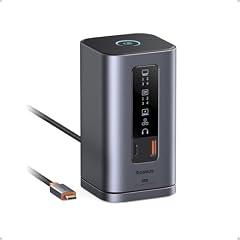
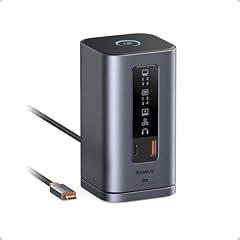
This is a compact, upright USB-C desk dock with an attached host cable, four display connectors, USB-A and USB-C data ports, Gigabit Ethernet, 3.5 mm audio, and a USB-C power input. Its published specification identifies 100 W as the maximum power input, not necessarily the power delivered to the laptop. The dock does not include a power brick, so it relies on a separately supplied USB-C charger. Independent hands-on reviews confirm the aluminum tower format, front connection indicators, and a physical screen-lock control. Testing also confirms useful multi-monitor capability, but with important host limits. A DSC-capable Windows laptop can run three 4K displays at 30 Hz or two at 60 Hz. The product's broad 4K at 60 Hz display wording therefore needs careful reading, especially for a three-screen workstation. Mac users do not get the same extended-display behavior.
What works
- Independent testing found the compact aluminum enclosure stayed cool during use.
- A physical screen-lock control and port-status lights can make a shared desk easier to manage.
- Independent testing confirmed three-display operation on appropriately equipped Windows laptops, with the stated refresh-rate limits.
- Baseus provides U.S.-reachable support, returns, and an 18 to 24 month general warranty policy.
What does not
- The 100 W figure is an input limit. Independent testing measured only up to 72 W passed to a laptop, which can be insufficient for higher-power notebooks.
- Three 4K displays operate at 30 Hz in independent testing, not 60 Hz each. The result also depends on the laptop supporting Display Stream Compression.
- Independent testing characterized overall performance as below expectations and observed some game-motion jerkiness, even though it did not see dramatic display instability.
- I could not verify an exact-product UL, ETL, or CSA safety listing, USB-IF certification, FCC compliance document, firmware download, or published environmental materials disclosure.
Who is it for
It suits a Windows laptop user building a fixed desk setup around two 4K 60 Hz monitors, or three 4K 30 Hz screens for documents, dashboards, messaging, spreadsheets, and other largely static work. The buyer should already have a compatible USB-C laptop with the needed DisplayPort and DSC capability, plus a sufficiently powerful USB-C charger. Its small vertical footprint, Ethernet connection, status lighting, and screen-lock button are particularly relevant where one cable connects a laptop to a permanent workstation.
Who is it not for
It is not a good fit for buyers who need guaranteed three-screen 4K 60 Hz output, high-refresh gaming displays, or a charging dock that reliably supplies close to 100 W to a demanding laptop. Mac users should not select it for its triple extended-display promise, because macOS has important display-extension limits. It also does not suit people who require documented North American safety certification, traceable FCC paperwork, USB-IF certification, user-installable firmware support, card readers, or readily replaceable host cables.
Integrity
The dock has no battery, which removes the most common lithium-ion fire pathway found in portable power accessories. An independent reviewer reported that its aluminum enclosure remained cool under use. However, I could not verify an exact-product listing from UL, ETL, or CSA, or an exact U.S. FCC compliance document. Use a reputable USB-C power adapter that matches the dock's stated input limits, and avoid relying on the 100 W input figure as a promise of 100 W laptop charging. The CPSC recall found for Baseus concerned two magnetic power-bank products, not this dock. Baseus has published U.S. contact, return, and warranty channels, which improves traceability if a defect occurs. The attached host cable and lack of published spare-parts or take-back information limit repair and end-of-life transparency. Aluminum construction is independently observed, but no product-specific recycled-content, packaging, or chemical-material disclosure was located.

UGREEN Revodok Pro 210 Docking Station
Overview
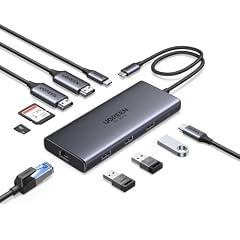
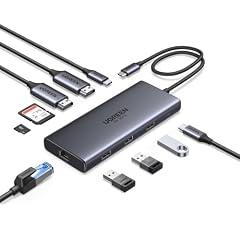
This is a compact 10-port USB-C hub for a laptop or tablet with a full-function USB-C port. It has two HDMI outputs, Gigabit Ethernet, one 5Gbps USB-C data port, one 5Gbps USB-A port, two USB-A 2.0 ports, SD and microSD readers, and a USB-C power input. The host cable is integrated, while the wall charger and display cables are not included. UGREEN states that a 100W USB-C charger can deliver up to 85W to the host, reserving 15W for the hub. Its official material also discloses an important limitation, single 8K output is Windows-only and two external Mac displays mirror one another. Independent testing of this model found effective laptop charging and functional card and USB connectivity, but did not publish sustained multi-port bandwidth, Ethernet, thermal, or electrical-safety measurements.
What works
- Clear power budget, UGREEN specifies 100W input, 15W for the hub, and up to 85W to the laptop.
- The display limitations are meaningfully disclosed, including Windows-only 8K output and mirrored dual displays on macOS.
- Independent comparative testing included laptop charging, USB storage, and SD and microSD card use.
- A U.S. support contact, an Amazon support email, and a 24-month limited warranty are published by UGREEN.
What does not
- The product title's claim of four 5Gbps USB-A and USB-C data ports conflicts with UGREEN's own specification, which identifies only one 5Gbps USB-C port and one 5Gbps USB-A port. The other two USB-A ports are USB 2.0.
- No public exact-product UL, ETL, CSA, or TÜV electrical-safety listing was located. It also ships without a power adapter, so charging safety depends partly on the separately supplied USB-C charger.
- No exact-product USB-IF certification record or public FCC Supplier's Declaration of Conformity was located.
- UGREEN does not publish model-specific firmware files, release notes, repair instructions, spare parts, or a product take-back program for this hub.
Who is it for
This product suits a Windows laptop user whose USB-C port supports DisplayPort Alt Mode and who wants a compact desk or travel hub for two HDMI monitors, wired networking, basic USB peripherals, and occasional SD or microSD transfers. It is especially relevant when the user already owns a reliable 100W USB-C charger and needs no more than 85W delivered to the laptop. The port mix favors keyboards, mice, flash storage, card media, and a Gigabit Ethernet connection rather than high-bandwidth external storage workflows.
Who is it not for
It is not suited to Mac users who need two separately extended external HDMI desktops, because the two external displays mirror each other on macOS. It is also unsuitable for a laptop with USB-C charging requirements above 85W, or for a USB-C port that lacks DisplayPort Alt Mode. Buyers needing four fast 5Gbps data connections should not rely on the marketplace title, as the manufacturer's own specifications list only two such data ports. Safety-sensitive workplace deployments may require a dock with traceable exact-model NRTL and FCC documentation.
Integrity
The hub has no battery or included wall adapter, which reduces one common charging-product failure point but shifts the power-supply choice to the user. UGREEN clearly states the 100W input and 85W host-delivery budget. Searches did not identify an exact-model public UL, ETL, CSA, TÜV, or USB-IF listing, nor an exact-model FCC compliance document. No U.S. consumer-product recall for this hub was identified in the recall search. UGREEN describes the enclosure as aluminum alloy, but does not provide an exact-product materials declaration, recycled-content evidence, packaging specification, take-back route, or repair parts information. The attached host cable is not user-replaceable in normal use, which can shorten practical service life if that cable fails. UGREEN does publish U.S. contact details and a two-year limited warranty, although its warranty terms note that marketplace policies can control purchases made through other channels.

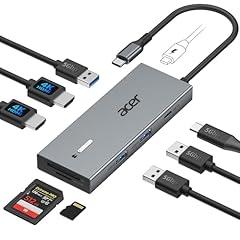
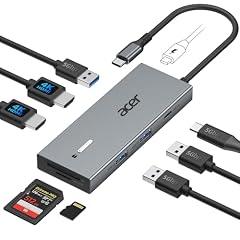
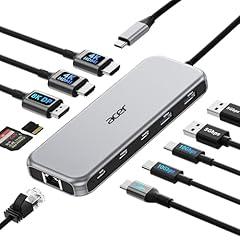
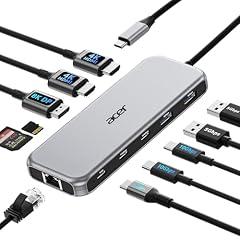
Acer USB C Dual HDMI Docking Station
Overview
This is a compact 9-in-1 USB-C dock with a short attached host lead. It is intended to add two HDMI display connections, three USB-A ports, one USB-C data port, SD and microSD readers, and USB-C power pass-through to a laptop or compatible tablet. Acer’s official support material maps this product model to the UC911D accessory family. A product manual reproduced by an independent manual repository states that its four data ports operate at up to 5Gbps, and that the card readers can work simultaneously at up to 104Mbps. The same instructions state 100W maximum power input and up to 90W laptop delivery, but require a separately purchased 100W or higher USB-C adapter. Video requires a host USB-C port with DisplayPort Alt Mode, power delivery, and data support.
What works
- The documented 100W input and 90W maximum laptop output make the charging allowance clearer than a simple 100W claim.
- Four stated 5Gbps data ports provide practical connectivity for common peripherals and external storage.
- The instructions specifically identify the need for a full-function USB-C host port, which helps prevent basic setup failures.
- SD and microSD slots are documented to support simultaneous operation, useful for camera and media transfers.
What does not
- No exact-product UL, ETL, CSA, TÜV, or other third-party electrical-safety listing was located in the checked certification registers.
- No USB-IF certification record or exact-product compliance documentation was located for the USB-C, Power Delivery, or 5Gbps claims.
- The published material does not provide a full display bandwidth table, required DisplayPort version, HDR limits, or a tested dual-display matrix by laptop model.
- No exact-product FCC Supplier’s Declaration of Conformity or public EMC test report was located.
- No exact-product firmware downloads, release notes, spare-parts information, or recycling route was located.
Who is it for
This product suits a laptop user who already has a USB-C port that supports DisplayPort Alt Mode, charging, and data, and who wants a small desk or travel dock for HDMI displays, USB peripherals, and SD media. It is particularly relevant when the user already owns a reputable 100W or higher USB-C PD charger, since the dock does not include one. It also fits a buyer whose laptop charging requirement is at or below the stated 90W maximum delivered to the host.
Who is it not for
It is not a suitable choice for anyone who needs independently documented electrical safety certification, USB-IF compliance, or public FCC paperwork for a workplace, school, lab, or medical-adjacent environment. Avoid relying on it for two extended Mac displays without checking the exact Mac model, chip, lid state, and operating system. It is also unsuitable for laptops with data-only USB-C ports, for systems needing more than 90W through the dock, or for users who require Ethernet, audio, or a replaceable host cable.
Integrity
The product has no battery or included AC adapter, which avoids one common source of charging-device heat risk. Its instructions require a separate 100W or higher USB-C PD adapter and identify a 90W maximum laptop output. That is useful power-budget disclosure, but it is not a substitute for an independently verified safety listing. Searches of the checked certification sources did not identify an exact-product UL, ETL, CSA, TÜV, or USB-IF record. No recall specific to this dock was located in the CPSC recall resources reviewed. Acer provides an identifiable product-family reference and general support infrastructure, but no model-specific firmware history, spare-parts route, take-back program, material declaration, recycled-content evidence, or packaging specification was located. The short built-in host cable may limit repair if that cable is damaged, so long service life depends heavily on careful cable handling.
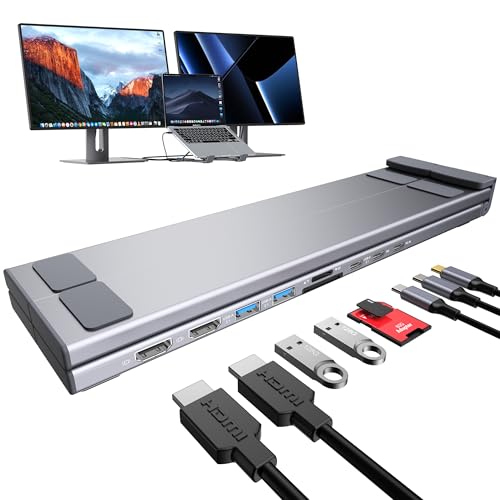
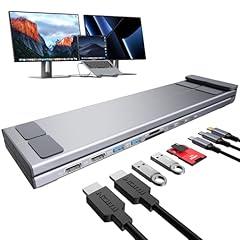
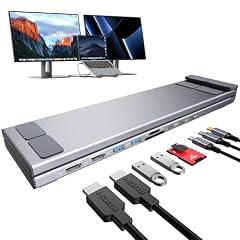
Mukiya USB C Laptop Docking Station
Overview
This is a foldable USB-C laptop stand with a hub built into its base. The product is intended to raise a 10 to 17 inch laptop while connecting displays, storage cards, USB accessories, and USB-C charging through one host connection. Mukiya identifies the matching Dual Monitor configuration as a 9-in-1 aluminum stand with two HDMI ports, USB ports, SD and microSD readers, and claimed 100W USB-C Power Delivery input. The dual-display capability is conditional, not universal. An independent listing for this product says Windows needs a suitable full-featured USB-C or Thunderbolt host with DisplayPort 1.4 and MST for two extended displays. It also says macOS is limited to mirrored displays through this dock. No exact-model USB-IF certification, NRTL safety listing, FCC compliance document, power-budget table, or independent multi-port stress test was located.
What works
- Combines a height-adjustable laptop riser and a 9-in-1 USB-C hub in one physical unit, according to Mukiya.
- Mukiya and an independent reseller consistently describe two HDMI outputs rated up to 4K at 60Hz for compatible hosts.
- The product includes a separate USB-C data cable, rather than relying on a permanently attached host cable.
- Mukiya publishes a two-year limited warranty, a support email address, and a U.S. mailing address.
What does not
- The claimed 100W PD figure lacks an exact-model power-budget table, supported PD profiles, dock self-consumption figure, and included charger specification.
- No exact-model UL, ETL, CSA, TÜV, USB-IF, or FCC documentation was found during verification. This is missing evidence, not evidence of a safety failure.
- Mac users cannot assume two extended external desktops. The independently listed limitation is mirror mode only on macOS.
- No independent sustained-transfer, display-stability, thermal, or multi-port load testing for this exact product was located.
- Mukiya does not publish firmware releases, security advisories, spare parts details, or a product take-back program for this dock.
Who is it for
It suits a mobile Windows user whose laptop has a full-featured USB-C or Thunderbolt port with DisplayPort Alt Mode and MST, and who has confirmed that the computer supports two external displays. The integrated stand can reduce the number of items needed for a compact desk or travel workstation, while the two HDMI outputs, USB ports, and card readers cover common keyboard, mouse, storage, and display connections. It is also suited to users willing to supply a known-good USB-C charger and verify charging behavior with their own laptop.
Who is it not for
It is not suited to macOS users who need two independently extended monitors, because the product-specific compatibility disclosure says macOS operates the HDMI displays in mirrored mode. It is also not suited to safety-critical, regulated, laboratory, or managed IT deployments that require traceable NRTL safety certification, FCC paperwork, formal USB-IF certification, published firmware controls, or documented security support. Users with USB-C ports that provide charging or data only, rather than video-capable DisplayPort Alt Mode, should not expect HDMI output. Buyers needing guaranteed full-power laptop charging should choose a dock with a published power budget and tested adapter package.
Integrity
The main safety limitation is documentation. Verification did not locate a public exact-model NRTL electrical-safety listing, USB-IF certification entry, FCC declaration, or detailed charging and thermal documentation. No relevant U.S. recall or regulator warning was found in the searches performed. Use a reputable USB-C charger that matches the laptop's requirements, and stop using the dock if the connector, cable, or enclosure becomes unusually hot, damaged, or unstable. Mukiya describes the stand as aluminum and supplies a separate USB-C data cable, which can help avoid discarding the entire product after ordinary cable wear. The company also offers a two-year limited warranty and a U.S. contact address. However, no exact-product material declaration, recycled-content evidence, packaging specification, spare-parts catalog, repair guide, or U.S. electronics take-back program was located. End-of-life handling should therefore use a certified local electronics recycler.

Acer 11-in-1 USB-C Docking Station
Overview
This is a compact plastic USB-C dock intended to turn one compatible laptop port into a desk connection for displays, wired networking, storage cards and peripherals. Retailer materials consistently describe two HDMI ports, one DisplayPort, two 10Gbps USB-C ports, two 5Gbps USB-A ports, Gigabit Ethernet and SD plus microSD readers. Those port counts and performance figures are manufacturer-stated, not independently lab verified. Its display function requires a host USB-C port with DisplayPort Alt Mode. The product description also narrows its charging claim, stating 100W maximum power input and up to 90W to the connected device. A USB-C PD charger and cable are required but not included. I could not locate an exact-model Acer manual, firmware page, safety certificate, or independently instrumented performance test.
What works
- Manufacturer-stated port selection covers displays, Ethernet, USB peripherals and both common camera-card formats.
- The retailer description gives useful display conditions, including the need for DisplayPort Alt Mode and host bandwidth limits.
- The charging disclosure identifies a 100W input ceiling and up to 90W device charging, rather than presenting the dock as its own power source.
What does not
- No exact-model UL, ETL, CSA or TÜV public safety listing was located. This is missing verification, not evidence of a recalled or unsafe unit.
- No exact product entry was located in the USB-IF public certified-product search, so the 10Gbps and USB-C PD claims remain unverified by that standards body.
- Retail listings use inconsistent brand and seller metadata for the same model, including generic and unrelated branding. That is a concrete traceability concern.
- No public exact-model firmware downloads, release notes, bandwidth allocation table, repair guide, spare-parts listing or recycling program was located.
Who is it for
This product fits a cost-conscious desk user whose laptop already has a full-function USB-C port with DisplayPort Alt Mode and who owns a suitable USB-C PD charger. It is most practical for connecting ordinary office peripherals, wired Ethernet, memory cards and one or more external displays close to the laptop. The buyer should be comfortable checking their laptop maker's display and charging limits, because actual monitor modes and charging headroom depend on the host computer, charger, cable and connected devices.
Who is it not for
It is not suited to buyers who need documented electrical certification, an included and traceably listed power adapter, or formal USB-IF confirmation of data and charging compliance. It is also a poor fit for users who must reliably drive a particular three-monitor arrangement without checking host bandwidth and operating-system limits first. Avoid relying on it for critical workflows involving medical-adjacent equipment, high-value data transfers, security-sensitive environments, or unsupported laptops where vendor firmware and troubleshooting documentation are required.
Integrity
The primary safety limitation is documentation. No exact-model listing was located in public UL, Intertek ETL, CSA or TÜV certification searches, and no supplied power adapter is documented. The dock needs a separate USB-C PD charger and cable, so safe charging depends partly on those separately purchased components. No product-specific CPSC recall was identified, but an absence of a recall is not a substitute for certification or a published safety file. The enclosure is described as plastic. No exact-model recycled-content statement, chemical or materials declaration, packaging specification, take-back route, repair manual, replacement-cable program or firmware-support policy was located. Acer provides general U.S. support and warranty lookup channels, but the exact product was not found in the accessible official docking-station support material. That leaves serviceability and end-of-life handling insufficiently documented.