
10 Best Ai Webcam
 Daniel Kenitz
Please note that we participate in affiliate marketing programs. When you purchase through links on our site, we may earn a commission. As an Amazon Associate we earn from qualifying purchases. This comes at no additional cost to you and helps support the resources required to provide valuable content.Advertising Disclosure
Top-rated Ai Webcam Comparison
1

2
3
4
5
6
7
8
9
AI webcams: what matters before you buy
AI webcams combine a USB camera with software or hardware that can adjust the picture, follow a person, reframe a group, recognize gestures, control pan and tilt, reduce background noise, or change the view for a presentation. The useful distinction is not the word “AI” on the box. It is whether the camera performs predictably on the buyer’s computer, in the buyer’s lighting, with controls that remain understandable and under the buyer’s control.
Start with the connection and host requirements. A wired USB webcam is generally simpler to set up than a Wi-Fi or battery-powered model, but high-resolution modes can require USB 3, a capable processor, sufficient bandwidth, and current Windows or macOS versions. Some products work as ordinary UVC webcams without companion software, while advanced tracking, presets, privacy settings, image controls, or firmware updates may require an app and additional permissions. Check whether the advertised resolution and frame rate can operate together: supplied products commonly state 4K at 30 frames per second and 1080p at 60 frames per second, while some advertise higher frame rates only at lower resolutions.
Headline image figures need qualification. “4K” does not guarantee fine detail, accurate color, or clean low-light video. Independent reviews in this set found that some cameras become noisy, grainy, soft, washed out, or overexposed in dim or backlit rooms. A high frame rate may depend on a particular format or USB mode. Digital zoom enlarges or crops the image rather than adding optical detail, and fixed-focus or focus-system descriptions can conflict between retail listings and manufacturer documents. Microphone claims also need context: noise reduction may reduce steady fan or appliance noise while introducing processing artifacts, echo, hollow tone, or weaker pickup at distance.
For AI tracking, look for exact-model testing that reports whether the camera keeps a moving presenter framed, recovers after losing the subject, responds to gestures, and avoids unexpected pan or tilt. A camera that only crops a fixed image is different from one with a motorized gimbal. Confirm whether processing is local or depends on undisclosed cloud services, and whether tracking, voice, gesture, and virtual-camera functions can be disabled.
Privacy deserves a physical check. A sliding or integrated lens shutter is stronger video control than a software-only setting, but it usually does not mute the microphones. Tilt-down sleep or privacy modes can be useful, yet they are not equivalent to unplugging the camera or using a documented hardware microphone disconnect. Look for a clear activity light, separate audio controls, permission details, and a privacy policy that explains app data collection.
For compliance, a buyer should be able to trace the exact model not merely the brand to records such as FCC authorization where radio functions apply, UL Product iQ, Intertek ETL, or CSA listings. Environmental claims should be similarly specific and checkable through EPEAT, TCO Certified, UL SPOT, or a model-specific materials and packaging declaration. A warranty is useful, but it does not prove repairability, spare-parts availability, recycling access, or a defined firmware-security lifetime. CPSC and SaferProducts.gov checks can identify recalls, but finding no recall is not a certification.
Recurring safety caveats in the supplied reviews are important: no reviewed product documents a universally complete physical camera-and-microphone cutoff, and several lens covers block video while leaving microphones active. Low-light performance and built-in microphone quality are recurring limitations. Software updates or support periods are often undocumented, and some products have conflicting focus, zoom, resolution, or certification claims. Buyers with confidential spaces, professional audio needs, dark rooms, or procurement requirements for traceable safety and environmental evidence should treat those gaps as decision factors, not minor omissions.
Integrity
These topics look beyond convenience features. The scores compare how much model-specific, checkable evidence each supplied product provides about privacy, physical safety, durability, materials, performance, and compliance. A higher score means stronger evidence or controls in that topic; it does not mean every risk has been eliminated.
HHealth & Safety
Privacy and capture control
Measures whether the camera gives you reliable physical and software control over video and microphone capture, with clear indicators and no unnecessary cloud or account dependence; a high score means private spaces are easier to protect.
Electrical and mounting safety
Measures whether the webcam, supplied power equipment, cable, mount, and moving parts are safely designed and traceable; a high score means credible third-party electrical certification where applicable, secure mounting, and no unresolved safety action.
Security and update support
Measures whether the camera software and any cloud, Wi-Fi, Bluetooth, or remote-control features have secure defaults, a disclosed update path, and a defined support period; a high score means lower risk of unauthorized access to camera or microphone data.
EEcology
Durability, repair, and recycling
Measures whether the webcam is built to stay useful, can be serviced or replaced without discarding the whole product, and has a credible take-back or recycling route; a high score means less avoidable electronic waste.
Materials and packaging transparency
Measures credible disclosure and reduction of hazardous materials, virgin plastic, and unnecessary packaging; a high score means model-specific, independently checkable environmental information rather than vague green branding.
EEvidence
Honest specifications and AI claims
Measures whether resolution, frame-rate, HDR, low-light, autofocus, microphone, tracking, noise-cancellation, and compatibility claims state the operating conditions and limits that buyers need; a high score means claims are specific, qualified, and not misleading.
Independent proof for this exact model
Measures whether credible independent testing or certification verifies this exact webcam model and its important safety, environmental, privacy, or performance claims; a high score means evidence is traceable to the model rather than supplied only by the seller.
Proven video and microphone quality
Measures independently demonstrated sharpness, exposure, color, low-light noise, autofocus, frame-rate stability, microphone clarity, and audio-video sync in realistic call conditions; a high score means the advertised quality holds up beyond ideal lighting.
Reliable AI tracking and controls
Measures whether AI framing, person or body tracking, gesture or voice controls, presets, and PTZ movement work predictably without losing the subject, moving unexpectedly, or requiring undisclosed cloud processing; a high score means useful automation that remains under your control.
Compatibility and setup honesty
Measures whether required ports, bandwidth, operating systems, conferencing apps, drivers, permissions, subscription features, and resolution/frame-rate tradeoffs are disclosed before purchase; a high score means the camera is likely to work as described on a buyer’s setup.
Traceable compliance labels
Measures whether regulatory marks and voluntary certifications are specific, valid, and appropriate to the model’s actual features rather than self-issued badges; a high score means buyers can verify the claim in an authoritative record.
Full reviews

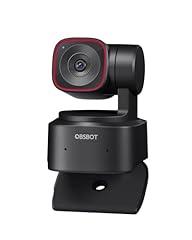
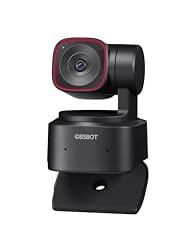
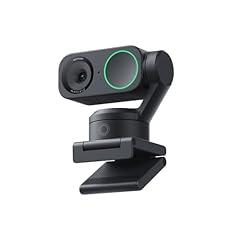
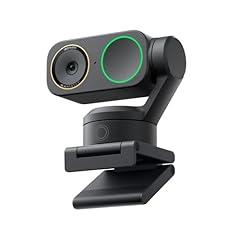
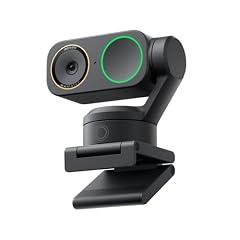
OBSBOT Tiny 2 Lite 4K Webcam
Overview
This is a compact USB webcam with a two-axis motorized pan and tilt head, intended for computer video calls, streaming, presentations, and desk setups. It connects directly to a Windows or Mac computer, and basic use is plug and play. The model-specific guide lists Windows 10 64-bit or later, macOS 11 or later, and recommends a relatively capable computer for 1080p at 60 frames per second or 4K use. The manufacturer documents 4K at 30 frames per second, 1080p at 60 frames per second, autofocus, HDR that must be enabled in the companion software, and up to 4x digital zoom. Independent hands-on testing supports strong sharpness and color in good light, reliable autofocus in typical conditions, and useful automatic tracking. Independent reviewers also found that dim scenes show more noise and lost shadow detail, while the built-in microphones are adequate for calls rather than polished recording audio.
What works
- Independent testing found sharp, color-accurate video in well-lit rooms, with effective autofocus for ordinary calls and presentations.
- Independent reviews found the automatic tracking useful for keeping a moving presenter in frame.
- The guide documents a monitor stand, a standard 1/4-20 tripod connection, and a clearly marked sleep state when the lens is pointed down.
- Basic USB webcam operation does not require the companion app, while the app adds PTZ control, presets, tracking options, HDR, and manual image settings.
- The manufacturer provides firmware updates through OBSBOT Center, with an on-screen update prompt when an update is available.
What does not
- The product record's 4x optical-zoom specification conflicts with the model-specific manual and independent review, both of which describe 4x digital zoom only.
- Independent tests found low-light image quality weaker than bright-room performance, with visible noise or reduced dark-scene detail.
- Built-in dual microphones were judged serviceable for calls, but independent reviewers recommend an external microphone for higher-quality recording.
- The physical privacy method is lens-down sleep mode, not a shutter or a documented hardware microphone disconnect.
- No model-specific third-party electrical listing, environmental certification, material declaration, repair-parts catalog, recycling program, security support end date, or public vulnerability disclosure policy was located.
Who is it for
It suits a home worker, teacher, presenter, or solo streamer who uses a reasonably modern Windows or Mac computer and needs the camera to follow modest movement around a desk, whiteboard, or presentation area. It is particularly practical where USB setup, manual PTZ positioning, presets, and a tripod option are useful. It also fits users who can supply good room lighting and already have, or can accept using, a separate microphone when speech quality matters beyond routine meetings.
Who is it not for
It is not well suited to privacy-sensitive rooms that require a mechanical lens shutter or a confirmed hardware microphone kill switch. It is also a weaker fit for dark rooms, professional voice recording, or users expecting true optical zoom, because the documented zoom is digital. People who need independently verifiable electrical safety certification, published security support dates, repair parts, or a documented manufacturer recycling route should not assume those assurances are available for this product.
Integrity
For capture control, the guide documents manual sleep by pointing the lens straight down, with the indicator light off, and software-configurable auto sleep. This gives a visible camera-position control, but it is not equivalent to a physical shutter or a stated microphone hardware disconnect. The companion software privacy policy covers OBSBOT Center and says the company may collect device information, and may collect audio, image, and video information when users use applicable product functions. Users handling sensitive calls should review permissions and use the lens-down sleep mode when not capturing. The guide says the base can become warm during long operation and advises using the supplied cable, direct computer connection, or an independently powered dock. No relevant CPSC recall or safety warning was located in the public search reviewed. However, no exact-model UL, ETL, CSA, EPEAT, TCO, or published materials declaration was located. OBSBOT documents warranty repair or replacement service for qualifying defects, but no model-specific spare-parts availability or take-back and recycling route was found.

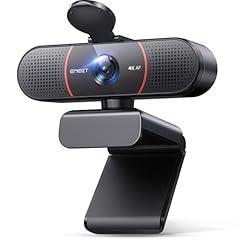
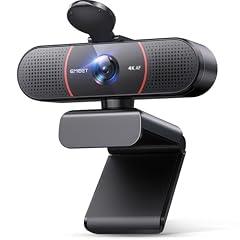
EMEET C960 4K Webcam with Sony Sensor
Overview
This is a compact, wired USB webcam for a desktop or laptop monitor, with a clip, a 1/4-inch tripod thread, dual omnidirectional microphones, and a separately applied physical lens cover. EMEET states that it uses a Sony sensor, records up to 4K at 30 fps, has a 73-degree field of view, PDAF autofocus, and works through standard UVC connections. The company also states that it can be used without creating an account. The evidence base is mixed. EMEET documents firmware updates and image controls through its EMEETLINK desktop software. An independent exact-product user test reported quick autofocus and usable microphones, while also reporting muted color, low apparent frame rate, and monitor-mounted shake. That is useful real-world evidence, but it is not a controlled laboratory assessment.
What works
- A physical lens cover is supplied, giving a direct way to block video capture when the webcam is idle, according to EMEET.
- The blue status light is documented to illuminate when the camera is operating, according to EMEET.
- EMEET documents a firmware update path through EMEETLINK, plus controls for flicker frequency, image orientation, brightness, contrast, sharpness, saturation, and white balance.
- The product has a 1/4-inch tripod thread and an adjustable monitor clip, according to EMEET, which gives more secure placement options than a clip alone.
- Independent exact-product user testing reported quick autofocus and working microphones in ordinary use.
What does not
- The lens cover does not physically disable the microphones, so it is not complete capture control.
- The cover is attached with adhesive rather than built into the webcam, which can make its long-term retention less certain.
- EMEET provides no defined firmware support end date, published security advisory history, or public vulnerability-reporting policy found in this review.
- The product documentation calls its focus system PDAF in the specifications but describes it as time-of-flight in the FAQ. That inconsistency makes the focus mechanism less clear.
- No exact-product UL, ETL, CSA, EPEAT, or TCO registry record was located, and no independent laboratory performance report was found.
Who is it for
This product suits one-person video calls, remote classes, and simple desktop recording where a wired USB camera, moderate 73-degree framing, and a physical lens block are more important than automated tracking. It is also suitable for users comfortable selecting their camera in Zoom, Teams, Meet, or similar software and, if needed, installing EMEETLINK to adjust picture settings or apply firmware updates. A tripod user can use the documented 1/4-inch mounting thread rather than relying on the monitor clip.
Who is it not for
It is not for people who need a hardware microphone mute, because the supplied cover blocks only the lens. It is also not for security-sensitive workplaces that require a published vulnerability-disclosure program, a defined security update lifetime, or independently traceable electrical certification. Buyers needing reliably verified color, low-light quality, or frame-rate behavior for professional streaming should be cautious, because the available exact-product independent evidence is limited and one user test noted muted color and lower apparent frame rate.
Integrity
The main privacy safeguard is physical rather than cloud-based. EMEET says the supplied cover blocks the lens, and the webcam has a blue operating indicator. Its optional EMEETLINK software can update firmware, but the app privacy policy says it can collect device information, logs, and crash reports. Account creation is described as optional for the app's basic functions. The webcam itself is USB wired, with no Wi-Fi function documented for this product. The manual identifies plastic parts, metal parts, a circuit board, microphones, and cable in its hazardous-substances declaration, and includes a manufacturer RoHS declaration. It also states 5 V, 500 mA input and FCC Part 15 compliance. These are manufacturer declarations, not an independently searchable US safety certification. No matching CPSC recall or safety warning was located in the checked US recall resources. EMEET's after-sales policy states a two-year webcam warranty with repair or replacement for covered manufacturing failures. That can extend useful life, but no US-specific take-back program, spare-parts catalog, model-specific packaging specification, or independently verified environmental certification was found. EMEET publishes recycling guidance for some overseas markets, which does not establish a US recycling route.

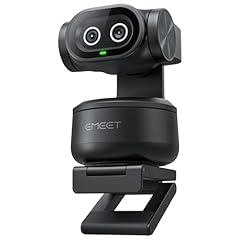
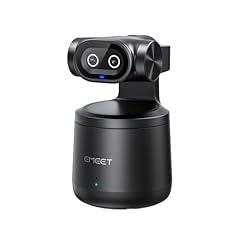
EMEET PIXY 4K Dual-Camera AI PTZ Webcam
Overview
This is a compact wired USB-C webcam with a motorized two-axis gimbal, dual cameras, three microphones, and a monitor clip. It is intended for video calls, streaming, recorded presentations, and teaching where the presenter moves around the frame. Independent hands-on sources identify 4K at 30fps, 1080p at 60fps, a 73-degree field of view, and a 120g body. The main distinguishing function is physical pan and tilt with AI person tracking. Independent reviewers found the tracking smooth and useful, with one reporting 310-degree pan and 180-degree tilt. The manufacturer states that its Sony 1/2.55-inch sensor, secondary AI camera, and autofocus system improve focus and exposure. The camera can operate as a standard plug-and-play webcam, while EMEET Studio adds PTZ, audio, gesture, privacy-timer, and firmware-update controls.
What works
- Independent reviews confirm stable 4K 30fps and 1080p 60fps operation in a compact USB webcam.
- Motorized tracking was independently found to follow a moving presenter smoothly, with wide physical pan and tilt travel.
- It works as a standard plug-and-play webcam, so basic video use does not require the companion software.
- Independent tests found good detail in reasonable lighting, and reviewers found the three-microphone noise reduction useful in typical indoor use.
What does not
- There is no physical lens shutter or hardware microphone disconnect documented. Privacy depends on software settings and host-device permissions.
- The software privacy policy says it may collect device, software, crash, and user-activity information for service operation and analysis.
- Independent reviewers found exposure can run bright or washed out, with more grain in low light. Fine exposure adjustment is limited.
- Gesture control is narrow in practice, with one independent review finding only a hand gesture to turn face tracking on or off.
- No exact-model UL, ETL, CSA, EPEAT, or TCO listing, environmental declaration, spare-parts program, or take-back route was identified in the checked public records.
Who is it for
This product suits a presenter, instructor, streamer, or remote worker who moves while speaking and wants the camera to follow rather than remain locked to one desk position. It is especially relevant for indoor talking-head video, demonstrations, standing meetings, and small teaching spaces with decent lighting. Buyers should be comfortable connecting by USB-C or using the included adapter, and should expect to use the desktop software when they want presets, gesture settings, audio modes, manual gimbal control, or firmware updates.
Who is it not for
It is not a strong fit for bedrooms, clinical spaces, shared homes, or other sensitive locations where a physical lens cover and hardware microphone control are important. It is also less appropriate for buyers who need independently documented electrical-safety certification, verified environmental materials data, published repair parts, or a defined long-term security-support period. Low-light creators who need neutral color and finely adjustable exposure should be cautious, because independent testing reported occasional overexposure, a washed-out look, and visible grain in dimmer scenes.
Integrity
For capture privacy, this wired product can be used as an ordinary USB webcam without installing the companion software. Its advanced privacy, control, and update functions are software based. EMEET Studio offers a privacy timer, while the available policy says the software may collect device, software, crash, and user-activity information to maintain and analyze its services. A physical shutter or documented hardware microphone cutoff was not identified. The product uses a USB connection rather than a separate mains power supply, and independent reviewers described its plastic body as sturdy. Public checks did not identify an exact-product UL, ETL, CSA, EPEAT, or TCO certification, nor a model-specific environmental declaration, repair-parts catalog, or recycling route. The manufacturer provides a two-year warranty and documents firmware updates through EMEET Studio, which may help extend useful life, but it does not substitute for published repair and take-back support.

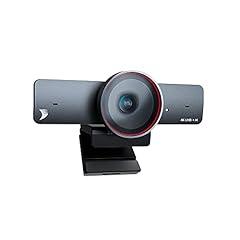
WyreStorm 4K AI Webcam 120° FOV
Overview
This is a USB 3.0 conference webcam for a laptop, desktop monitor, or tripod. It connects by USB-C through the supplied Type-A cable, draws 5 V USB power, and uses a 120-degree diagonal view intended to include several people in a small or medium meeting room. The manufacturer documents 4K at 30 fps, 1080p at 60 fps, and 720p at 90 fps, along with an included physical lens cover and a green LED that lights when an application is using the camera. Its useful automation is software-controlled digital framing, presenter tracking, pan, tilt, and up to 8x digital zoom. An independent exact-product review reported clear 4K video, intelligible voice pickup at roughly 16 feet, and working framing and presenter tracking in calls. However, the official documentation identifies the lens as fixed focus, despite the retail record describing autofocus.
What works
- The supplied physical lens cover and in-use LED provide practical, visible video-capture control.
- Independent testing reported clear voice pickup at about 16 feet and effective filtering of common background noise.
- Independent testing found auto framing and presenter tracking kept subjects centered during video calls.
- The manufacturer publishes current Windows and macOS control software plus a downloadable firmware file for this product.
- The mount clips to a display and includes a threaded tripod connection, with mounting instructions in the quick-start guide.
What does not
- The retail record's autofocus description conflicts with the manufacturer's documentation, which says this product uses fixed focus.
- The retail record calls it Zoom Certified, but the manufacturer materials located for this exact product do not substantiate that certification.
- No exact-product UL, ETL, CSA, EPEAT, or TCO listing was located in the relevant public certification registers.
- Firmware is downloadable, but no defined security-support end date, vulnerability-reporting policy, or security advisory record was located for this product.
- No model-specific spare-parts, repairability, take-back, packaging, or material-composition disclosure was located.
Who is it for
This product suits a small meeting room, classroom presenter, or home office that needs a very wide view and can connect directly to a USB 3.0 computer. It is particularly relevant for users who want automatic digital reframing when participants enter the shot, or presenter tracking while someone moves around a whiteboard or desk. It also fits users who value a simple physical lens cover and who are comfortable installing the manufacturer control software to use framing, zoom, and firmware-update functions.
Who is it not for
It is not suited to buyers who specifically need verified autofocus for close-up objects, documents, or frequently changing camera distances, because the manufacturer's documentation describes a fixed-focus lens. It is also a poor fit for organizations that require independently listed electrical certification, a verified Zoom certification, a formal cybersecurity support lifecycle, or documented repair and recycling arrangements. Privacy-sensitive households that need a hardware microphone-mute switch should look elsewhere, since the supplied documentation confirms a lens cover but not a physical microphone cutoff.
Integrity
The physical lens cover is the clearest privacy safeguard. It blocks the lens when closed, and the quick-start guide says a green LED illuminates when an application is using the camera. The product is USB powered at 5 V and 2 W, so it has no separate mains adapter or internal battery documented for normal operation. No recall or exposure warning specific to this product was located in the U.S. consumer-safety sources searched. WyreStorm's specification sheet states FCC, RoHS, CE, EAC, and RCM compliance, but an exact-product public listing in UL, ETL, CSA, EPEAT, or TCO databases was not located. RoHS is a manufacturer-stated materials restriction, not a detailed material inventory. The company continues to host software and firmware downloads, but no product-specific recycling route, replacement-parts catalog, repair instructions, packaging specification, or end-of-support date was located. Warranty information is also inconsistent across the supplied materials, with one catalog record stating two years and a quick-start document stating five years.

OBSBOT Tiny SE 1080P Webcam
Overview
This is a compact USB webcam with a built-in two-axis pan and tilt gimbal, a single microphone, and a monitor clip that also includes a standard tripod socket. OBSBOT's manual states that it works as a plug-and-play camera on Windows 10 or later and macOS 11 or later, while the companion OBSBOT Center software exposes additional controls. The manual also lists 1080p recording, human tracking, gesture control, a camera activity indicator, and a lens-down sleep position. Independent reviews tested the exact product and found strong 1080p image quality in varied lighting, effective mechanical subject tracking, and usable but limited single-microphone audio. The same testing found drawbacks that matter in daily use, including slower or occasional drifting tracking, gesture recognition that can take repeat attempts, and software or firmware update reliability concerns. It is a Full HD device, not a 4K camera.
What works
- Independent testing found clear, well-exposed 1080p video across a range of lighting conditions.
- The two-axis gimbal follows a moving presenter mechanically, rather than relying only on digital cropping.
- The manufacturer's manual documents plug-and-play USB setup, a monitor mount, and a standard 1/4-20 tripod connection.
- The lens can be manually pointed down for sleep mode, and the manual describes an automatic sleep timer through the desktop software.
What does not
- Independent testing found the single built-in microphone adequate for calls, but less full and clear than a dedicated microphone.
- Independent reviewers reported occasional tracking drift, slower response than higher-end models, and gestures that may require repeated attempts.
- One independent review reported intermittent communication with the control software and firmware updates that often failed to install successfully.
- No model-specific third-party electrical listing, environmental certification, material declaration, recycling route, or defined security support period was located in the checked documentation and registries.
Who is it for
This product suits a desk-based teacher, presenter, remote worker, or casual streamer who moves around a small room and needs the camera to keep them in frame. It is particularly relevant for people who use mainstream call platforms on a supported Windows or Mac computer and can work within Full HD resolution. The built-in clip and tripod socket support either a monitor-mounted or small-tripod setup. A separate microphone remains sensible for important recordings or noisy spaces.
Who is it not for
It is not suited to people who need 4K detail, significant cropping latitude, or dependable high-resolution footage for close visual work. It is also a weaker fit for private rooms where a physical shutter and a dedicated hardware microphone disconnect are required, because sleep relies on pointing the lens down and software settings. Users who cannot tolerate software troubleshooting, failed firmware updates, or occasional tracking and gesture errors should avoid making automated framing central to a live presentation.
Integrity
For privacy, the documented sleep action points the lens straight down and turns off the camera indicator. This is a visible capture-control measure, but it is not the same as a physical shutter or a separate hardware microphone switch. The product is USB-powered, and the manual advises using its standard cable and connecting directly to a computer or independently powered dock to avoid inadequate power. It also warns that the base can become warm during extended operation. OBSBOT publishes a one-year limited warranty and describes repair or replacement for qualifying defects. That provides a defined route for early failures, including gimbal, camera, cable, and microphone issues under the stated terms. However, no model-specific materials disclosure, hazardous-substance declaration, take-back program, recycled-content claim, EPEAT listing, or TCO Certified listing was found in the checked sources. Packaging information from an independent review indicates cardboard inserts plus plastic protective trays and sleeves, without a quantified packaging-reduction claim.

OBSBOT Tiny 3 Lite 4K AI Webcam
Overview
This is a compact, USB-connected pan, tilt, and digital-zoom webcam for computer calls, streaming, and recording. It uses a motorized two-axis gimbal, a built-in monitor stand, a 1/4-20 tripod socket, and a three-microphone array. The manufacturer manual documents Windows 10 64-bit or later and macOS 11 or later, plus direct USB power guidance and higher host recommendations for 4K or 1080p at 120 frames per second. The 4K at 30 frames per second and 1080p at 120 frames per second modes are manufacturer-stated and are independently observed in exact-product reviews. Independent reviewers found strong results in good light, workable but softer and noisier low-light video, and call-suitable microphones that do not replace a close dedicated microphone. U.S. radio authorization is independently traceable through the FCC record for this exact product.
What works
- Independent exact-product testing found smooth person and object tracking, including reacquisition after the subject left and returned to frame.
- Independent reviews found sharp, well-exposed video in good lighting and clear audio suitable for meetings.
- The manual provides a concrete privacy action, point the lens downward to enter sleep mode, with the status light off.
- A built-in monitor stand and standard 1/4-20 mounting point give documented placement options.
- The FCC authorization identifies this exact product as a 2.4 GHz Part 15 transmitter for U.S. use.
What does not
- Low-light image quality is a real limitation in independent testing, with softer detail and visible noise.
- Built-in microphone quality declines with distance and is not broadcast-grade in independent reviews.
- The product has no physical shutter or separate microphone mute control documented in the manual.
- A firmware-update mechanism is documented, but no defined security support period or public vulnerability-reporting policy was identified.
- No model-specific materials declaration, environmental certification, repair-parts catalog, or take-back route was identified.
Who is it for
It suits a remote instructor, presenter, streamer, or hybrid worker who regularly stands, demonstrates objects, or moves around a small room and wants the camera to follow without manual reframing. It is particularly suited to a computer setup with a direct USB connection, Windows 10 64-bit or newer, or macOS 11 or newer. Users working in daylight or with dedicated face lighting can make better use of its independently observed image quality and 4K or high-frame-rate modes.
Who is it not for
It is not suited to people who need a hard physical lens cover, an independently documented microphone kill switch, or a clearly published long-term cybersecurity commitment for sensitive rooms. It is also a weaker fit for dim home offices, nighttime recording, and situations where the microphone will be far from the speaker. Users on locked-down workplace computers should confirm software installation, USB permissions, video-conferencing support, and host performance before relying on 4K or 1080p at 120 frames per second.
Integrity
For privacy, the manual documents a meaningful camera sleep behavior. Tilting the lens straight down activates sleep mode and turns the status light off. It also documents visible status states for tracking, firmware updating, malfunction, and sleep. This is useful capture control, though it is not the same as a removable shutter or independently documented microphone disconnect. The exact product has an FCC authorization for its 2.4 GHz transmitter, and the FCC record includes RF-exposure operating conditions. No CPSC recall or product safety warning was identified in the U.S. recall database during this review. The manual advises direct computer connection or an independently powered dock, and notes that the base can become warm during extended operation. Environmental disclosure is limited. No model-specific EPEAT, TCO, UL SPOT, materials declaration, repair-parts listing, or recycling take-back program was identified. The documented warranty coverage is limited to one year for major camera, gimbal, drive, and control components.

EMEET PIXY 4K Dual-Lens AI Streaming Camera
Overview
This is a battery-powered, Wi-Fi capable pan and tilt camera for solo streaming, video calls, and local recording to a separately purchased microSD card. It can also operate over USB-C. The manufacturer states that it has a Sony 1/2.55-inch sensor, 4K video at 30 frames per second, a 97-degree view, HDR, a fixed-focus lens, one built-in microphone, 2.4 and 5 GHz Wi-Fi, and up to eight hours of battery life. A two-axis brushless gimbal provides 310 degrees of pan and 180 degrees of tilt. Its manual documents a privacy mode that points the gimbal down and turns off the indicator. Independent hands-on reviews found decent image quality and useful HDR in backlit scenes, while also noting fixed-focus limits at close range and weak digital zoom.
What works
- A documented privacy position turns the camera downward and extinguishes its status light.
- The exact wireless model has an FCC equipment authorization for its Wi-Fi and Bluetooth radio functions.
- Independent hands-on coverage found decent picture quality, with HDR helping preserve detail in backlit indoor scenes.
- The manufacturer provides a two-year warranty for the camera and states that qualifying defects receive repair or replacement.
- A standard 1/4-20 mounting thread supports a tripod or stable flat-surface placement.
What does not
- The retailer title claims autofocus and a 48 kHz microphone, but the manufacturer specification identifies fixed focus and one built-in microphone. This is a material specifications conflict.
- Wireless setup requires EMEET STUDIO, initial USB-C connection, Wi-Fi credentials, and a microSD card for wireless use.
- The app privacy policy permits collection of device, network, log, voice, and image or video information for applicable functions.
- A firmware update route is documented, but no defined security-support end date, public vulnerability-reporting policy, or security release history was located.
- No model-specific materials declaration, recycling route, spare-parts catalog, or independently verified electrical safety listing was located.
Who is it for
This product suits a solo presenter, instructor, fitness creator, or small livestream operator who needs a movable camera without keeping a USB cable attached. It is most appropriate for users who can work at normal room distances, have stable 2.4 or 5 GHz Wi-Fi, and are comfortable using desktop or mobile control software. The 1/4-20 thread, local microSD recording option, documented privacy position, and manufacturer-stated eight-hour battery life fit mobile room setups and short untethered sessions.
Who is it not for
It is not well suited to privacy-sensitive households or workplaces that cannot accept a Wi-Fi camera configured through an app that collects device and network data and may process voice or video for enabled functions. It is also a poor fit for close-up product demonstrations or frequent face-to-camera work at very short distances because the maker specifies fixed focus. Users needing independently tested audio quality, a verified electrical safety listing, long-term security support commitments, or a published recycling and parts program need more documentation than is available here.
Integrity
The useful safety controls are physical rather than purely software based. The manual documents a privacy mode in which the gimbal points downward and the status light turns off. It also documents microphone status indications and a 1/4-20 mounting point. The exact wireless model has a traceable FCC authorization for its radio transmitter. That authorization verifies radio compliance, not a broader independent electrical-safety certification for the battery, charger, cable, or camera assembly. The manufacturer offers a two-year camera warranty and describes repair or replacement for qualifying workmanship or materials failures. However, no model-specific public record was located for replacement batteries, repair parts, take-back service, recycled-content claims, hazardous-material disclosure, or packaging composition. The product contains a rechargeable battery and electronics, so end-of-life handling should use an established electronics recycler rather than household trash. No relevant U.S. product recall or regulator exposure warning was identified in the checks performed.

Insta360 Link 2 PTZ 4K Webcam
Overview
This is a compact USB webcam for a Windows or Mac computer, intended for video calls, streaming, online teaching, and presentations. It uses a motorized two-axis gimbal, rather than a fixed lens, to pan and tilt while following a person. Manufacturer documentation lists a 1/2-inch sensor, HDR, a 67-degree horizontal field of view, 4K at up to 30 frames per second, and 1080p or 720p at up to 60 frames per second. The product can work as a standard webcam without the Link Controller software, although the controller is needed for many advanced controls. Independent hands-on testing found its video notably clear and its tracking effective for presentations and training. Those tests also found the built-in microphone suitable for everyday calls, but less isolated and detailed than a dedicated microphone. Privacy Mode turns the lens downward, with microphone muting available as a software setting.
What works
- Independent reviews found clear video quality in ordinary call and training conditions, including lower-light office use.
- The physical gimbal enables useful person tracking, framing changes, whiteboard mode, and DeskView functions for people moving during a presentation.
- It remains usable in standard conferencing and streaming software without installing the manufacturer controller.
- Its documented Privacy Mode faces the lens downward, and the controller can mute the built-in microphone in that mode.
- The manufacturer provides a firmware update path through Link Controller and a manual update process.
What does not
- There is no documented physical microphone disconnect or shutter. Microphone muting in Privacy Mode is a software setting, and it affects only the built-in microphone.
- Independent reviewers found that keyboard and street noise can reach the built-in microphone. A headset or dedicated microphone is more appropriate where audio quality or confidentiality matters.
- 4K capture is limited to 30 frames per second. Higher 60-frame-rate modes are limited to 1080p and below.
- The manufacturer acknowledges that 4K, HDR, filters, and low light can make image noise more visible.
- No model-specific EPEAT, TCO, UL SPOT, UL, ETL, or CSA listing was located, and no model-specific materials, repair-parts, take-back, or firmware-support end-date disclosure was found.
Who is it for
This product suits a remote instructor, presenter, streamer, or hybrid worker who moves around a desk, whiteboard, or teaching area and needs the camera to reframe without an operator. It is also appropriate for a computer-based setup where 4K at 30 frames per second is sufficient and the user can position the supplied magnetic mount securely. It is most useful for someone willing to install the Link Controller for tracking, privacy audio settings, image adjustments, and firmware updates, while using a separate microphone if speech quality is important.
Who is it not for
It is not well suited to users who require a hardwired microphone cutoff, a sliding lens cover, or independently certified privacy and electrical safety documentation. People handling sensitive discussions should not treat the downward-facing privacy position as a substitute for unplugging the USB cable, especially if they have not enabled microphone muting in the controller. It is also a weaker fit for fast-motion 4K capture, professional voice recording, or setups that cannot provide a stable computer USB connection and a secure monitor or desktop mounting surface.
Integrity
For privacy, the most concrete safeguard is the motorized Privacy Mode. The manufacturer says the lens rotates downward after inactivity and can be manually tilted down to activate the mode. The Link 2 alone can also mute its built-in microphone in Privacy Mode through the desktop controller. This is meaningful capture control, but it is not a physical audio disconnect, and reopening video software can wake the camera. The product is USB powered at 5 V, 1 A according to its manual. Searches of U.S. recall sources did not identify a Link 2 recall or safety action. No model-specific environmental certification, hazardous-material declaration, recycled-content statement, packaging specification, U.S. take-back route, or repair-parts catalog was located. Insta360 documents a one-year standard warranty and offers optional accidental-damage replacement coverage, but these do not establish long-term repairability or recycling support.

Insta360 Link 2 Pro 4K Webcam
Overview
This product is a wired USB desktop webcam for Windows and macOS computers. It combines a 1/1.3-inch image sensor, a two-axis motorized gimbal, integrated microphones, a magnetic monitor mount, and a standard 1/4-inch tripod mounting point. It is powered from USB at 5V and 1A, with no internal battery. The manufacturer documents 4K capture up to 30 frames per second and 1080p up to 60 frames per second. Its defining control is a tilt-down privacy mode. Insta360 states that rotating the gimbal down 90 degrees disables both camera and microphone functions, shown by a yellow indicator. Independent reviewers tested the exact product and reported strong autofocus, smooth subject tracking, useful gesture controls, and better retained detail in difficult backlit scenes. Those reviews also noted a warm color tendency, sharp sibilants in speech, limited digital zoom improvement, and a premium price for users who only need a fixed desk camera.
What works
- Independent exact-product reviews found clear 4K video, capable autofocus, and useful HDR in backlit scenes.
- Independent testing found the gimbal's subject tracking smooth enough to keep a moving presenter in frame.
- The manufacturer documents a tilt-down privacy mode that disables both video and microphone functions, with a yellow status light.
- The product can work directly in third-party video apps without the Link Controller, according to the manufacturer.
- The manual provides detailed resolution, frame-rate, computer, graphics, and virtual-camera limitations before setup.
What does not
- No model-specific UL, ETL, CSA, EPEAT, or TCO listing was located in the relevant public certification registers.
- Privacy mode is a useful hardware action, but software or reconnecting the camera can wake it, so unplugging remains the clearest capture stop.
- Advanced virtual-camera effects have material limits. They need the Link Controller, do not support 50 or 60 fps, and makeup and beautify do not run at 4K.
- Background effects have graphics and platform restrictions, including reported compatibility issues with some AMD systems.
- No model-specific environmental materials declaration, recycled-content disclosure, or US take-back route was located.
Who is it for
This product suits a presenter, teacher, hybrid worker, or streamer who moves around a small room and needs a camera to reframe without a second operator. It is particularly relevant for backlit desks, whiteboard demonstrations, desk views, and meetings where a 4K 30 fps feed is sufficient. It also fits users comfortable installing desktop software and checking their computer specifications, because the more advanced background and virtual-camera functions depend on the Link Controller and compatible graphics hardware.
Who is it not for
It is not well suited to households that require an independently certified electrical product or a camera with a simple physical lens shutter that stays closed regardless of software actions. It is also a poor fit for Linux users who need full control software, users on unsupported ARM Windows systems, or people relying on Intel Macs for advanced background effects. Buyers who only remain seated for basic calls may not use the moving gimbal, gesture controls, or software-dependent effects enough to justify the added complexity.
Integrity
The main health and privacy highlight is the product's documented tilt-down privacy mode. Insta360 states that this orientation disables both the camera and microphones, and the status light turns yellow. Its USB-only design has no built-in battery, avoiding battery charging and disposal issues. The manual also directs users to connect the product directly to a computer or independently powered dock to reduce power-related malfunction risk. The evidence base is weaker for environmental stewardship and traceable compliance. The available product documentation identifies the mount, cable, operating temperature, power requirement, and repair process, but does not provide a model-specific materials inventory, recycled-content figure, packaging specification, EPEAT or TCO registration, or a US recycling program for this product. Insta360 provides warranty and mail-in repair pathways, but its policy restricts unauthorized self-repair and does not establish availability of user-replaceable parts. No model-specific UL, ETL, or CSA record was located.

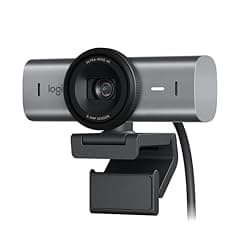
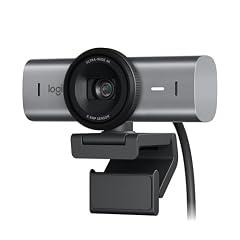
Logitech MX Brio Ultra HD 4K Webcam
Overview
This is a wired USB-C desktop webcam for video calls, livestreams, and occasional desk demonstrations. It has a detachable monitor clip, a standard tripod thread, two built-in beamforming microphones, and a rotating physical shutter over the lens. Logitech states that it records 4K at 30 fps or 1080p at 60 fps, and offers manual image controls in Logi Options+ or G Hub. Independent reviewers tested this exact MX Brio and found generally well-balanced exposure, accurate color, useful background-noise reduction, and clear voice capture for a webcam. They also found that fine detail can look softer than expected from a 4K camera, especially because image processing favors a bright, even appearance. Show Mode flips the image after the camera is tilted toward a desk, but testing found small text can become fuzzy. The product is not a motorized tracking camera. Its AI claim refers to automatic face-based image adjustment, rather than person-following movement.
What works
- A physical, integrated shutter provides a direct way to block the lens when the camera is not needed.
- Independent testing found good automatic exposure and white balance, plus crisp and relatively full voice capture for an integrated webcam microphone.
- It supports 4K at 30 fps and 1080p at 60 fps, with manual controls for exposure, white balance, ISO, shutter speed, and color settings.
- Microsoft lists the MX Brio 700 and 705 camera family as Certified for Microsoft Teams.
- The graphite version is manufacturer-stated to use 82% certified post-consumer recycled plastic in plastic parts, excluding cables, packaging, and the circuit assembly.
What does not
- The 4K claim does not guarantee maximum detail in practice. Independent testing found image processing can smooth fine detail and make the picture look somewhat flat.
- Show Mode is useful for broad desk views, but independently tested close text was fuzzy and tilting the clamp can disturb framing.
- The camera's microphones performed well for an integrated webcam, but independent testing still found echo and judged them short of a dedicated microphone or strong headset mic.
- Logitech provides a firmware update route through its software, but no defined public end date for firmware or security support was found.
- No exact-model listing was found in the UL, ETL, CSA, EPEAT, or TCO public registries checked. This is missing third-party compliance evidence, not evidence of an electrical defect.
Who is it for
It suits a home-office worker, remote presenter, or casual streamer who uses a USB-C computer and wants a straightforward external camera with a physical lens block. It is especially relevant for calls in mixed or backlit rooms, where independent testing found its automatic exposure and color handling effective. It also fits people who need to show sketches or larger physical objects on a desk and are willing to make small framing adjustments. A user who values manual tuning can use Logitech's Windows or macOS software controls.
Who is it not for
It is not well suited to someone who needs reliable readable close-ups of documents, labels, or small workpieces during presentations, because independent testing found desk text soft in Show Mode. It is also a poor fit for users who need motorized pan, tilt, or automatic subject tracking, since the camera does not provide those functions. People needing biometrically secure Windows sign-in should not assume this product supports it. Buyers who require a documented multi-year security support commitment or public third-party electrical certification should seek that evidence elsewhere.
Integrity
For privacy, the strongest practical safeguard is the integrated physical shutter. Logitech describes a contrasting shutter color that makes its open or closed state visible. The camera is wired rather than Wi-Fi or Bluetooth connected, and Logitech provides software-based firmware updating. No product-specific U.S. recall or consumer safety warning was located in the CPSC sources checked. Public UL, ETL, and CSA listings for this exact consumer model were not located, so its electrical certification trail is limited in the available records. The graphite product has a comparatively detailed manufacturer environmental disclosure. Logitech states that its plastic parts contain 82% certified post-consumer recycled plastic, excluding the circuit assembly, cable, and packaging. It also reports a 13.98 kg CO2e product footprint, low-carbon aluminum in the housing, and paper packaging from FSC-certified forests and controlled sources. Logitech offers a U.S. recycling route, but no product-specific repair manual or defined long-term firmware support period was found.